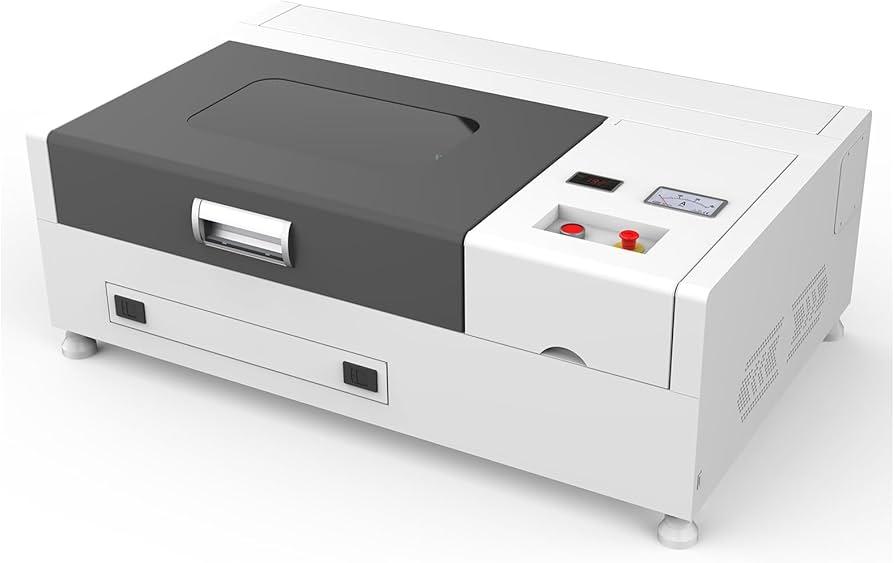
Best Cheap Laser Cutter: How to Choose an Affordable Machine
The best cheap laser cutter depends on what you want to make. A compact diode laser can be a good, lower-cost choice for engraving and light cutting, while a CO₂ laser is usually better for cutting thicker wood and acrylic. The right machine balances price with cutting ability, work area, safety features, and the cost of required accessories.
Before buying, decide which materials you plan to use and how often you’ll operate the machine. A low purchase price may not include an enclosure, ventilation, air assist, or other equipment needed for safe and reliable use.
Best budget laser cutter types
Best for beginners: diode laser
Diode machines are often among the most affordable laser cutters. They’re useful for engraving wood, leather, coated metals, and some other suitable materials. Depending on the laser’s power and the material, a diode machine may also cut thin wood or dark, opaque acrylic.
Diode lasers generally cannot cut clear acrylic effectively. They may also need multiple passes to cut thicker materials, so they can be slower than more powerful machines. Choose one with clear safety instructions, compatible design software, and a sturdy frame.
Best for cutting acrylic and thicker wood: CO₂ laser
A CO₂ laser typically costs more than an entry-level diode machine, but it can be a better value if cutting is your main goal. CO₂ lasers are well suited to many nonmetal materials, including wood and acrylic. They can often cut materials more quickly and handle a wider range of acrylic colors than diode lasers.
Remember to account for the machine’s full setup cost. Many CO₂ systems require an exhaust solution, cooling equipment, and regular maintenance. Confirm what is included before comparing prices.
Best for marking metal: fiber laser
Fiber lasers are designed primarily for marking and engraving metals. They’re usually not the right budget choice for someone who wants to cut wood or acrylic. If metal marking is your main need, compare a fiber laser with a diode machine that uses a marking spray or coating—but check the manufacturer’s guidance for the specific material and process.
What to look for in an inexpensive laser cutter
- Material compatibility: Check the manufacturer’s material guidance. “Laser compatible” does not mean every machine can cut every material.
- Work area: Choose a bed large enough for your usual projects, while leaving room for safe ventilation and operation.
- Enclosure and safety features: Look for an enclosed design or a compatible enclosure, an emergency stop, and appropriate safety interlocks.
- Air assist: Air assist can improve cutting results and help reduce charring, but it may be an extra cost.
- Ventilation: Plan how fumes will be safely exhausted or filtered before setting up the machine.
- Software and support: Make sure the machine works with software you can use and that replacement parts and support are available.
- Total cost: Include shipping, ventilation, safety equipment, accessories, and consumables—not just the advertised machine price.
Which affordable laser cutter is right for you?
Choose a diode laser if your budget is tight and your projects focus on engraving or cutting thin materials. Consider a CO₂ laser if you expect to cut acrylic or thicker wood regularly and can accommodate the added setup and maintenance. Look at a fiber laser only when metal marking is the priority.
For occasional craft projects, a smaller machine may be sufficient. For regular production, prioritize reliability, usable work area, and support over the lowest price. A machine that struggles to cut your materials can cost more in wasted time and failed projects.
Laser cutter safety essentials
Laser cutters can cause eye injuries, burns, fires, and exposure to hazardous fumes. Use the machine only as directed by its manufacturer, with the specified protective enclosure and eye protection. Provide suitable exhaust ventilation, keep flammable items away, and never leave a running laser unattended.
Do not cut PVC, vinyl, or unknown materials. These can release dangerous fumes or damage equipment. Check the material’s composition and the machine manufacturer’s safety guidance before starting a job.
Frequently asked questions
Can a cheap diode laser cut wood?
Many diode lasers can cut thin wood, but the result depends on the laser, wood type, and settings. Thicker pieces may require multiple passes and can take longer than they would on a CO₂ machine.
Can a diode laser cut clear acrylic?
Most common diode lasers do not cut clear acrylic effectively because the light passes through the material. A CO₂ laser is generally a more suitable choice for cutting clear acrylic.
Is a cheap laser cutter good for a small business?
It can be suitable for testing product ideas or handling light workloads. Before relying on one for production, consider its speed, duty cycle, service options, and ability to produce consistent results.
Final thoughts
The best cheap laser cutter is the one that safely handles the materials and projects you actually have in mind. For affordable engraving and light cutting, start by comparing diode machines. For frequent cutting of wood and acrylic, consider the full cost of a CO₂ system. In every case, budget for ventilation and safety, and verify material compatibility before you buy.
Top 5 FAQs About Affordable Laser Cutters: Functionality, Value, and Best Options
- Do cheap laser engravers work?
- Are cheap laser engravers worth it?
- Why is laser cutting so expensive?
- What is the best priced laser engraver?
- What type of laser is the cheapest?
Do cheap laser engravers work?
Yes, cheap laser engravers can work well for hobby projects, personalization, and light-duty engraving, as long as you choose a machine suited to your materials and expectations. Budget models may engrave wood, leather, or coated surfaces effectively, but they’re often slower, have smaller work areas, and may struggle with cutting thicker materials. Before buying, check material compatibility, software support, safety features, and the total cost of essentials such as an enclosure and proper ventilation.
Are cheap laser engravers worth it?
Cheap laser engravers can be worth it if you’re a beginner, hobbyist, or small business owner working on simple projects and understand their limits. Lower-cost models are often suitable for engraving wood, leather, and coated materials, but may work more slowly, have smaller work areas, or require upgrades for ventilation and safety. Before buying, check that the machine supports your materials, compare the total setup cost—not just the sticker price—and make sure replacement parts and customer support are available.
Why is laser cutting so expensive?
Laser cutting can be expensive because the equipment combines a high-powered laser, precision motion components, control software, and safety systems. Operating costs also add up: machines use electricity and consumables, require maintenance, and need proper ventilation and fire-safety measures. The material, thickness, design complexity, setup time, and production quantity affect the final price, too. For a lower-cost option, compare the total cost of ownership—not just the machine’s sticker price—and choose a cutter suited to the materials and projects you plan to make.
What is the best priced laser engraver?
The best-priced laser engraver is one that fits your projects without requiring costly upgrades. For beginners and hobbyists, an entry-level diode engraver can offer good value for engraving wood, leather, and other compatible materials. Compare the usable work area, laser power, software compatibility, safety features, warranty, and included accessories—not just the sticker price. If you plan to cut thicker materials or acrylic, a CO₂ laser may be a better investment, even though it usually costs more upfront.
What type of laser is the cheapest?
Diode lasers are generally the cheapest type of laser cutter, especially for beginners and hobbyists. They’re compact, relatively affordable, and well suited to engraving and cutting thin materials such as wood. However, their capabilities are limited: many diode lasers can’t cut clear acrylic, and thicker materials may require multiple passes. Compare the full setup cost—including an enclosure, ventilation, and safety equipment—rather than choosing by machine price alone.
No Responses