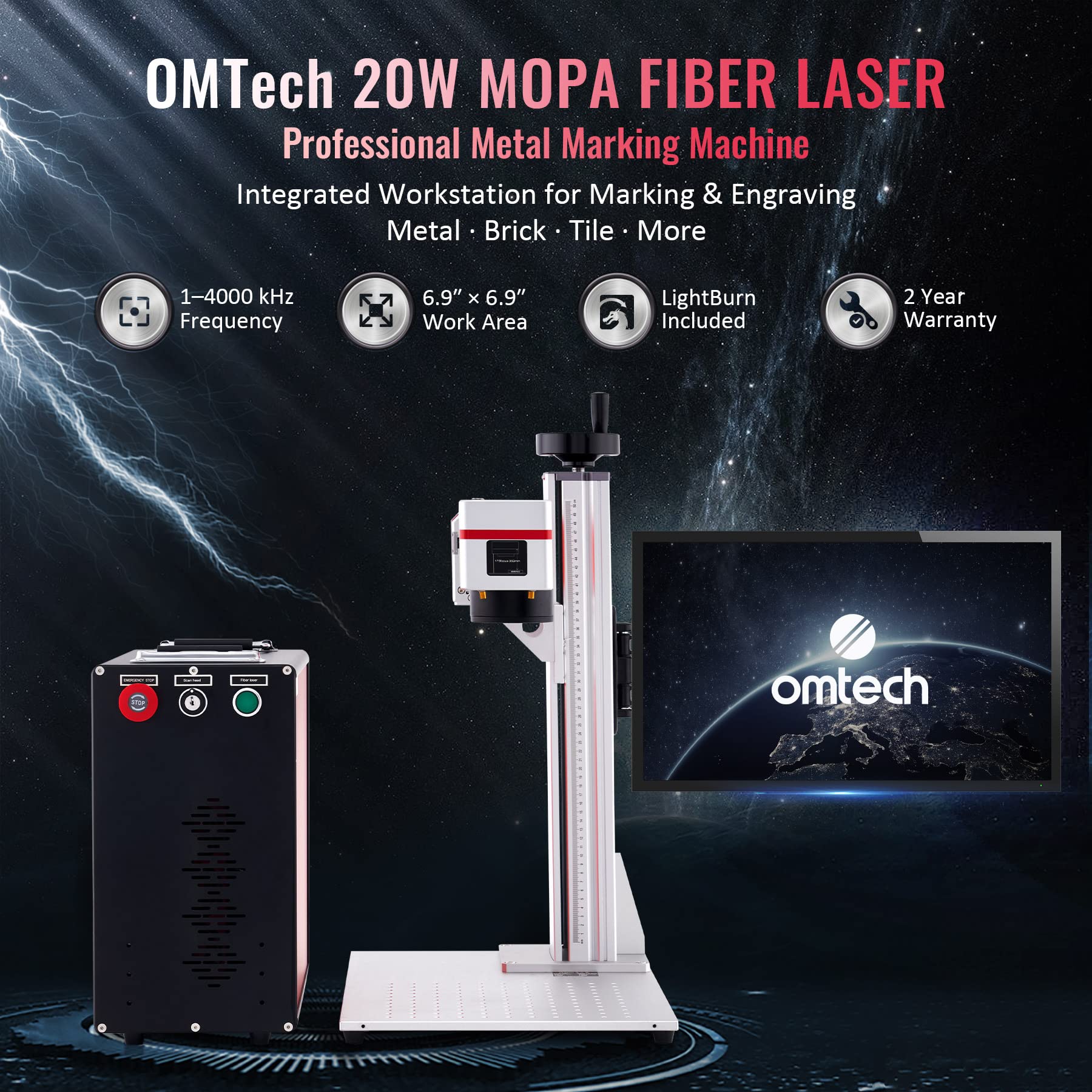
OMTech 20W Fiber Laser: What It Can Do and What to Consider
An OMTech 20W fiber laser is a compact marking and engraving system designed primarily for working with metals and some hard plastics. Its 20-watt laser source makes it a practical option for small businesses, workshops, makers, and hobbyists who want to add detailed, permanent marks to parts and products.
Before choosing a machine, it helps to understand what a 20W fiber laser does well, where it has limitations, and what equipment and safety practices are needed to use it effectively.
How a 20W Fiber Laser Works
Fiber lasers generate a concentrated beam of light, typically at a wavelength near 1064 nanometers. Galvo mirrors direct the beam rapidly across a work surface, allowing the system to create text, logos, serial numbers, patterns, and other designs without moving the material beneath a conventional cutting head.
Unlike a CO₂ laser, which is commonly used for materials such as wood and acrylic, a fiber laser is generally suited to marking metals. The exact results depend on the material, surface finish, lens, software settings, and the machine configuration.
Common Uses
An OMTech 20W fiber laser may be used for:
- Engraving names, logos, and serial numbers on metal parts
- Marking tools, tags, jewelry, and promotional products
- Adding identification codes to components
- Creating decorative designs on suitable metal surfaces
- Marking certain hard plastics, depending on their composition
It is important to distinguish marking and engraving from cutting. A 20W fiber marker is designed mainly to alter or remove a limited amount of surface material. It is not generally intended to cut thick metal sheet. For cutting applications, a different type of laser and a substantially higher power level may be needed.
Materials and Results
Fiber lasers are commonly used on materials such as stainless steel, aluminum, brass, copper, and some coated or plated metals. They can produce different effects, including dark marks, bright marks, and shallow engravings. The outcome varies by alloy and finish, so test marks are an important part of preparing a job.
Some materials are not appropriate for direct laser processing, and certain plastics can release hazardous fumes when heated. Always confirm that a material is safe to mark and follow the manufacturer’s guidance. Avoid processing unknown materials.
Work Area and Software
OMTech fiber laser systems are offered in different configurations, and specifications can vary by model. Factors to check include the laser source, marking field, included lens, compatible software, rotary attachment support, and whether a protective enclosure is included. A different lens may change the working area and marking detail.
Before purchasing, consider the size of the objects you plan to mark and the level of detail required. Also check what computer, operating system, and accessories are needed. Software compatibility and setup instructions can differ between machine versions.
Safety Considerations
Fiber lasers can cause severe eye injuries and may create hazardous reflections from shiny metal. The beam can also ignite materials or produce harmful fumes. Use the machine only with suitable laser-rated protective measures, such as a properly rated enclosure and viewing window, and follow the manufacturer’s safety instructions.
Provide appropriate ventilation or fume extraction for the materials being processed. Keep the work area clear of flammable items, never leave an operating laser unattended, and make sure everyone nearby understands the hazards. Laser safety glasses should be selected for the specific wavelength and optical density required; ordinary eyewear is not protective.
Is a 20W Fiber Laser the Right Choice?
A 20W fiber laser can be a good fit for users focused on detailed marking and light engraving rather than high-speed production or cutting. It offers a way to personalize products, identify components, and create repeatable marks on suitable materials in a relatively compact workspace.
For frequent production work, deeper engraving, or a larger marking area, compare the 20W model with higher-power options and review the complete specifications—not just the wattage. The best choice depends on the materials, object sizes, desired finish, production volume, and safety setup required for the work.
9 Key Benefits of the OMTech 20W Fiber Laser
- Precise marking on suitable metals
- Compact footprint for many workshops
- Fast galvo-based marking
- Great for logos and serial numbers
- Supports detailed designs
- Useful for personalization projects
- Works with many metal surfaces
- Can mark some hard plastics
- Suitable for small-business workflows
7 Drawbacks of the OMTech 20W Fiber Laser to Consider Before Buying
- Limited cutting capability
- Slower on deep engravings
- Small marking area on some models
- Requires careful setup and focus
- Needs strong laser safety precautions
- Can produce hazardous fumes
- Not ideal for wood or clear acrylic
Precise marking on suitable metals
One of the OMTech 20W fiber laser’s key advantages is its ability to create precise, consistent marks on suitable metals. It can reproduce fine text, logos, serial numbers, and detailed designs, making it useful for product identification, customization, and decorative engraving. Results vary by metal type and surface finish, so testing settings on a sample helps achieve the desired mark.
Compact footprint for many workshops
One advantage of the OMTech 20W fiber laser is its compact footprint, which makes it easier to fit into workshops where bench space is limited. Its smaller work area can be well suited to marking parts, tools, tags, and other compact items without dedicating a large portion of the workspace to the machine. Before purchasing, check the specific model’s dimensions and allow extra room for a computer, accessories, ventilation, and safe operation.
Fast galvo-based marking
The OMTech 20W fiber laser uses a galvo scanning system to direct the beam quickly across the work surface, making it well suited for marking text, logos, serial numbers, and detailed designs. Because the mirrors move the beam rather than the laser head or workpiece, marking can be fast and precise—helping streamline repeat jobs and improve productivity for workshops and small businesses. Actual speed depends on the material, design, and machine settings.
Great for logos and serial numbers
The OMTech 20W fiber laser is well suited for marking logos and serial numbers on compatible materials, especially metals. It can produce crisp, durable marks that help products look professional and make parts easier to identify and track. Whether you’re personalizing items, adding branding, or labeling components for inventory, its precise marking capabilities can support consistent results across repeat jobs.
Supports detailed designs
The OMTech 20W fiber laser can create crisp, detailed marks, making it well suited for fine text, logos, serial numbers, and intricate designs on compatible materials. Its precise beam control helps reproduce small features with clean, consistent results, while adjusting the design and laser settings can help match the finish to the material and project.
Useful for personalization projects
The OMTech 20W fiber laser is well suited for personalization projects, making it easy to add names, logos, dates, and custom designs to a variety of metal items. From jewelry and keychains to tools and keepsakes, it can create precise, lasting marks that help turn everyday products into meaningful, one-of-a-kind gifts or branded merchandise.
Works with many metal surfaces
One advantage of the OMTech 20W fiber laser is its versatility across many metal surfaces. It can mark or engrave materials such as stainless steel, aluminum, brass, and copper, making it useful for personalizing products, adding logos, or marking parts with text and identification codes. Results vary depending on the metal’s composition and finish, so testing settings on a sample piece helps achieve the desired look.
Can mark some hard plastics
One useful advantage of the OMTech 20W fiber laser is its ability to mark some hard plastics, in addition to metals. This can make it a versatile option for adding logos, text, serial numbers, or other identifying details to compatible plastic parts and products. Results vary depending on the plastic’s composition and surface, so test a small sample first and confirm the material is safe to laser-mark.
Suitable for small-business workflows
The OMTech 20W fiber laser can fit well into small-business workflows that require consistent, detailed marking on metal products. Its compact format makes it easier to add to a workshop without dedicating space to a large industrial system, while its ability to handle repeat jobs—such as logos, serial numbers, and personalization—can help streamline production. For businesses with moderate marking needs, it offers a practical way to bring more customization in-house; actual throughput depends on the material, design, and machine setup.
Limited cutting capability
One limitation of the OMTech 20W fiber laser is its limited cutting capability. It’s designed primarily for marking and engraving, so while it may remove small amounts of material, it generally isn’t suitable for cutting through thick metal or handling demanding cutting jobs. If cutting is a key requirement, consider a machine designed for that purpose or a higher-powered system.
Slower on deep engravings
One limitation of the OMTech 20W fiber laser is that deep engraving can take considerable time. Because it has less power than higher-wattage fiber lasers, it may need multiple passes at slower speeds to remove more material, which can make detailed or deeply engraved designs less efficient for production work.
Small marking area on some models
Some OMTech 20W fiber laser models have a relatively small marking area, which can limit the size of designs or objects you can process in one pass. Larger items may need to be repositioned and marked in sections, adding setup time and making precise alignment more challenging. Check the marking-field dimensions for the specific model before buying, especially if you plan to work with larger products.
Requires careful setup and focus
One drawback of the OMTech 20W fiber laser is that it requires careful setup and focusing to produce consistent results. The workpiece must be positioned at the correct distance from the lens, and settings such as power, speed, and frequency may need adjustment for each material. Improper focus or setup can lead to uneven marks, reduced detail, or wasted material, so beginners should expect to spend time calibrating the machine and running test engravings before starting a final project.
Needs strong laser safety precautions
A key drawback of the OMTech 20W fiber laser is that it requires strict safety precautions. Its invisible laser beam can cause serious eye injuries and may reflect off shiny materials, while engraving certain materials can produce hazardous fumes. Safe operation requires appropriate laser-rated protection, a properly enclosed work area, effective ventilation or fume extraction, and careful attention to the manufacturer’s safety instructions.
Can produce hazardous fumes
One drawback of the OMTech 20W fiber laser is that marking or engraving certain materials can release hazardous fumes and fine particles. These emissions may pose health risks, especially in a poorly ventilated workspace. Before processing a material, verify that it is suitable for laser use, follow OMTech’s safety instructions, and use effective fume extraction or ventilation. Avoid engraving unknown materials, as their coatings or chemical composition may produce harmful emissions.
Not ideal for wood or clear acrylic
One drawback of the OMTech 20W fiber laser is that it isn’t well suited for engraving or cutting wood and clear acrylic. Fiber lasers are designed primarily for marking metals, while these materials generally respond better to a CO₂ laser. If working with wood or acrylic is a priority, consider a machine designed for those materials or verify compatibility before purchasing.
No Responses