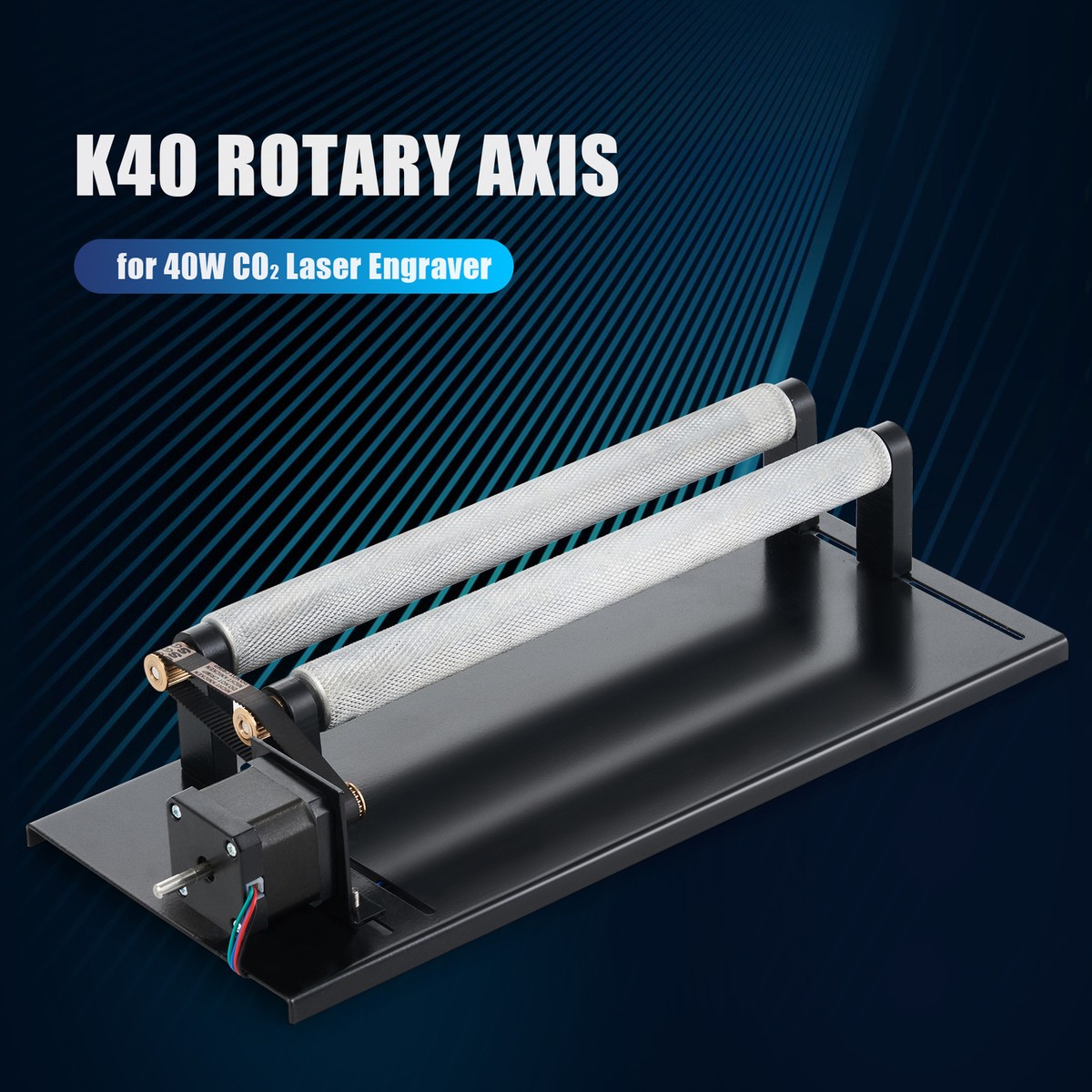
K40 CO₂ Laser Engraver: A Compact Tool for Creative Projects
The K40 CO₂ laser engraver is a popular entry-level machine for hobbyists, makers, and small businesses. Compact and relatively affordable, it can engrave designs and cut certain nonmetal materials. “K40” refers to a broad family of desktop laser machines rather than one standardized model, so features, build quality, and performance can vary from one unit to another.
What Is a K40 Laser?
Most K40 machines use a glass CO₂ laser tube commonly advertised at around 40 watts. The laser beam is directed by mirrors and focused through a lens onto the material. The concentrated heat marks, engraves, or cuts the workpiece, depending on the material, focus, machine condition, and settings.
Many K40 engravers include a compact work area, a basic control board, and a water-cooling system for the laser tube. Some models offer upgraded controllers, adjustable work tables, air assist, or other features. Because the K40 name covers many configurations, it is important to check the specifications of the exact machine rather than assume every model is alike.
What Can a K40 Engrave or Cut?
A properly configured K40 can engrave a range of materials, including wood, paper, cardboard, leather, coated metals, glass, and many types of acrylic. It can also cut some thin, laser-compatible materials. Results depend on the material’s composition and thickness, as well as the machine’s focus, alignment, cooling, and ventilation.
CO₂ lasers generally do not directly cut bare metals. They may mark certain metals when those surfaces have a suitable coating or when a compatible marking product is used. Material compatibility should always be confirmed before processing, especially for plastics, which can release hazardous fumes when heated.
Advantages of the K40
- Compact size: Its desktop footprint makes it a practical option for workshops with limited space.
- Versatility: It can handle both engraving and some cutting tasks across a variety of nonmetal materials.
- Accessible entry point: Compared with larger industrial laser systems, many K40 machines cost less to purchase.
- Customization potential: Depending on the model, owners may be able to improve workflow with compatible software, accessories, or replacement components.
Limitations to Consider
A K40 is a small machine, not a production-scale industrial cutter. Its work area is limited, and performance can differ substantially between units. Some models require careful setup, calibration, or troubleshooting before they deliver consistent results. The advertised tube wattage also does not tell the whole story: optics, alignment, machine condition, and material properties all affect the finished work.
Cutting speed and maximum material thickness are not universal specifications. They depend on the particular machine and material, so claims should be treated cautiously. For repeatable results, users should test settings on scrap material and follow the manufacturer’s guidance.
Safety Is Essential
A CO₂ laser can cause serious eye and skin injuries, and a workpiece can ignite during operation. The beam itself is invisible, so never look into the beam path or operate the machine with its protective enclosure open. Use a machine with effective guarding and interlocks, and do not bypass safety features.
Proper exhaust ventilation is essential because engraving and cutting can produce smoke and hazardous fumes. Keep the machine attended while it is running, maintain a suitable fire-safety plan, and follow the manufacturer’s instructions for water cooling and electrical safety. Never process materials unless their laser compatibility is known.
Is a K40 Right for You?
A K40 CO₂ laser engraver may be a good fit for someone who wants to learn laser engraving, personalize small items, make prototypes, or produce modest batches of crafts and signs. It is less suitable for users who need a large work area, high-throughput production, or dependable out-of-the-box performance without setup.
Before buying, compare the machine’s work area, controller and software compatibility, cooling system, exhaust requirements, warranty, and safety features. A well-chosen K40 can be a capable workshop tool, but realistic expectations and careful operation are essential to getting useful results safely.
K40 CO2 Laser Engraver FAQs: LightBurn Compatibility, Cutting and Engraving Materials, and Performance
- Does OMTech work with Lightburn?
- What cannot be cut with a laser cutter?
- What can I engrave with a 40W CO2 laser?
- What can I cut with a 40W CO2 laser?
- Are K40 lasers any good?
Does OMTech work with Lightburn?
Many OMTech laser engravers work with LightBurn, but compatibility depends on the machine’s controller, not just the OMTech brand. Most K40 models with the stock M2 Nano controller are not supported directly; using LightBurn typically requires replacing it with a compatible controller, such as a supported GRBL-based board. Check your specific model and controller before purchasing or installing LightBurn, since other OMTech machines may work without a controller upgrade.
What cannot be cut with a laser cutter?
A K40 CO₂ laser cutter cannot safely cut every material. Avoid PVC and vinyl, as well as unknown plastics, because they can release toxic or corrosive fumes that may harm people and damage the machine. Materials containing chlorine, such as some synthetic leathers, should also be avoided unless their composition is confirmed safe for laser processing. A standard CO₂ laser generally cannot cut bare metal, and reflective surfaces can pose additional risks. Always check the material manufacturer’s safety information, ensure proper exhaust ventilation, and never cut a material if you cannot verify that it is laser-safe.
What can I engrave with a 40W CO2 laser?
A 40W CO₂ laser can engrave many nonmetal materials, including wood, paper, cardboard, leather, glass, and coated or painted surfaces. It can also engrave some plastics, such as laser-safe acrylic, but always verify the material is suitable before use—some plastics release dangerous fumes when heated. A CO₂ laser generally won’t directly engrave bare metal, though coated or specially treated metals may be markable. Results depend on the material, its finish, and the machine’s focus and settings, so test on scrap and use proper ventilation.
What can I cut with a 40W CO2 laser?
A 40W CO₂ laser can typically cut thin, laser-compatible nonmetal materials such as paper, cardboard, fabric, leather, and some acrylic or plywood, though the thickness and cut quality depend on the machine, material, focus, and settings. Always test on scrap and follow the manufacturer’s guidance, since actual performance varies. Never cut PVC, vinyl, or unidentified plastics, which can release hazardous fumes; use proper ventilation and never leave the laser operating unattended.
Are K40 lasers any good?
K40 lasers can be a good choice for hobbyists and small workshops looking for an affordable way to engrave and cut certain nonmetal materials. They’re compact and versatile, but quality and performance vary by model, and many need careful setup, calibration, or upgrades to work consistently. A K40 is generally best for smaller projects and learning—not high-volume production—and safe operation requires proper ventilation, cooling, and fire precautions.
No Responses