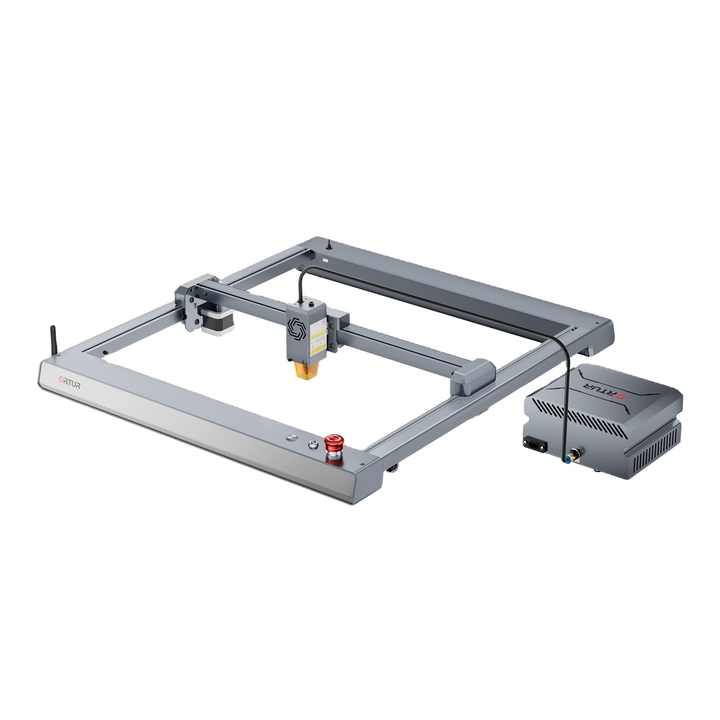
Laser Cutter Air Assist: What It Does and How to Use It
Air assist is a simple but important feature on many laser cutters and engravers. It directs a stream of air at the point where the laser meets the material. Used correctly, it can help produce cleaner cuts, reduce flare-ups, and protect the machine’s optics. The right setup depends on the material, the job, and the laser system.
What Is Air Assist?
A laser cutter focuses a beam of light onto a small area to cut or engrave material. As the material heats, it can produce smoke, vapor, debris, and—in some cases—small flames. An air-assist system sends air through a nozzle near the laser head and toward the cutting point.
The air may come from a compressor, a dedicated laser air pump, or another compatible source. The nozzle’s position and airflow should follow the laser manufacturer’s instructions.
Why Use Air Assist?
- Cleaner cuts: Airflow helps move smoke and loose debris away from the cut, which can reduce soot and residue on some materials.
- Fewer flare-ups: A steady stream of air can help limit small flames during cutting. It does not make laser cutting fireproof or eliminate the need for supervision.
- Less smoke near the work area: Air can help displace smoke at the cutting point, but proper exhaust ventilation is still essential.
- Better protection for optics: Depending on the machine design, airflow can help keep smoke and particles from collecting near the lens or nozzle.
- More consistent results: Removing debris from the cut can help improve edge quality and reduce the chance of material interfering with the beam.
How Air Assist Affects Cutting and Engraving
Air assist is especially useful for cutting, where the laser passes through material and may leave char or residue along the edge. On wood, for example, airflow can help reduce smoke staining around the cut. Results vary with the wood species, moisture, thickness, focus, power, speed, and airflow.
For engraving, the ideal setting may be different. Strong airflow can sometimes affect fine details or move dust across the surface. Some users prefer lower airflow or no air assist for certain engraving jobs, while keeping extraction and ventilation active. Test settings on a scrap piece before starting a finished project.
Choosing an Air Source
Common air-assist sources include small pumps and compressors. A dedicated pump can be convenient for light-duty work and may be quieter than some compressors. A compressor can provide stronger airflow, but it may require a regulator, moisture control, and suitable connections. Check the laser manufacturer’s specifications for the required pressure, flow rate, and fittings.
More pressure is not automatically better. Excessive airflow can affect delicate work, scatter debris, or create unwanted marks. Use a setting appropriate for the material and task rather than relying on the highest available pressure.
Basic Setup and Adjustment
- Read the machine manual. Confirm the approved air source, pressure range, hose connections, and nozzle position.
- Check the airflow path. Make sure the hose is secure and free of kinks, leaks, or blockages.
- Position the nozzle correctly. It should direct air toward the cutting point without obstructing the laser beam or colliding with the material.
- Set an appropriate airflow level. Start with the manufacturer’s guidance, then adjust using small test cuts.
- Test on scrap material. Inspect the cut edge and surface for soot, charring, incomplete cuts, or unwanted marks.
- Keep extraction running. Air assist does not replace an exhaust system designed to remove smoke and fumes from the machine.
Common Air-Assist Problems
Airflow Seems Weak
Check for a disconnected hose, a clogged nozzle, a kinked line, a dirty filter, or a compressor regulator set too low. Also confirm that the air source is suitable for the machine.
Edges Are Still Sooty
Air assist can reduce residue, but it cannot guarantee a clean edge. Check focus, material condition, cutting speed, laser power, exhaust performance, and airflow direction. Too much power or too little speed can increase charring.
The Material Catches Fire
Stop the job if it is safe to do so and follow the machine’s emergency procedures. Do not leave a laser cutter unattended. Air assist may reduce the risk of flare-ups, but it cannot prevent every fire. Keep the work area clear and maintain appropriate fire-safety equipment.
Fine Engraving Looks Blown Out
Try a lower airflow setting or a test without air assist if the machine and material instructions allow it. Keep ventilation active, and compare results on scrap before changing a production setting.
Safety and Material Considerations
Air assist is only one part of a safe laser setup. Use the machine’s enclosure and exhaust system as directed, and stay with the cutter while it is operating. Clean the machine regularly and inspect hoses, filters, and fittings.
Only process materials that are approved for your laser and properly identified. Some materials release hazardous fumes when heated. Never laser-cut or engrave PVC or vinyl, which can release dangerous corrosive gases and damage equipment. When a material’s composition is uncertain, do not process it until its safety has been verified.
Conclusion
Air assist helps manage smoke and debris at the cutting point and can improve the quality and consistency of many laser-cutting jobs. The best results come from matching airflow to the material, using the machine’s recommended setup, and testing settings before a full run. Most importantly, air assist does not replace proper ventilation, material safety checks, or close supervision.
Essential FAQs About Air Assist for Laser Cutting: Function, Necessity, Settings, and Best Practices
- What does air assist do on a laser cutter?
- Do I need air assist for laser cutting?
- What air pressure or airflow should I use for laser cutter air assist?
- Does air assist improve cut quality and reduce burn marks?
- Can I use air assist while engraving, or should I turn it off?
What does air assist do on a laser cutter?
Air assist directs a steady stream of air at the point where the laser cuts or engraves. This helps clear smoke and debris, can reduce soot and charring, and may limit small flare-ups. It can also help keep residue away from the laser head’s optics. Air assist does not replace proper exhaust ventilation or close supervision, and the best airflow setting depends on the material and the job.
Do I need air assist for laser cutting?
Air assist is not always required, but it’s strongly recommended for many laser-cutting jobs. A stream of air directed at the cutting point helps clear smoke and debris, can reduce scorching, and may lower the chance of flare-ups. Results depend on the material and machine, and air assist does not replace proper ventilation or close supervision. Check your laser cutter’s manual for compatible settings, and test on scrap material before cutting a finished piece.
What air pressure or airflow should I use for laser cutter air assist?
The right air-assist pressure or airflow depends on your laser, nozzle, material, and whether you’re cutting or engraving, so start with the manufacturer’s recommended settings rather than a universal number. Use enough airflow to clear smoke and debris from the cutting point, then fine-tune it with test runs on scrap material. Higher airflow can help with some cuts, but it isn’t always better—too much may affect delicate engraving or scatter debris. Keep your exhaust ventilation running, and never rely on air assist alone to prevent fires.
Does air assist improve cut quality and reduce burn marks?
Yes, air assist can improve cut quality and reduce burn marks by blowing smoke and debris away from the cutting area, helping keep residue from settling on the material. It can also support a cleaner, more consistent cut, especially when cutting wood and other materials prone to scorching. Results depend on the material, focus, speed, power, and airflow, so use the laser manufacturer’s recommended settings and test on a scrap piece. Air assist can reduce burning, but it does not eliminate fire risk or replace proper ventilation and supervision.
Can I use air assist while engraving, or should I turn it off?
You can use air assist while engraving, but the best setting depends on the material and the result you want. A low airflow can help clear smoke and debris from the engraving area, while stronger airflow may scatter residue or affect fine details on some materials. Try a low setting—or compare results with air assist off—on a scrap piece first, and keep your laser’s exhaust ventilation running either way.
No Responses