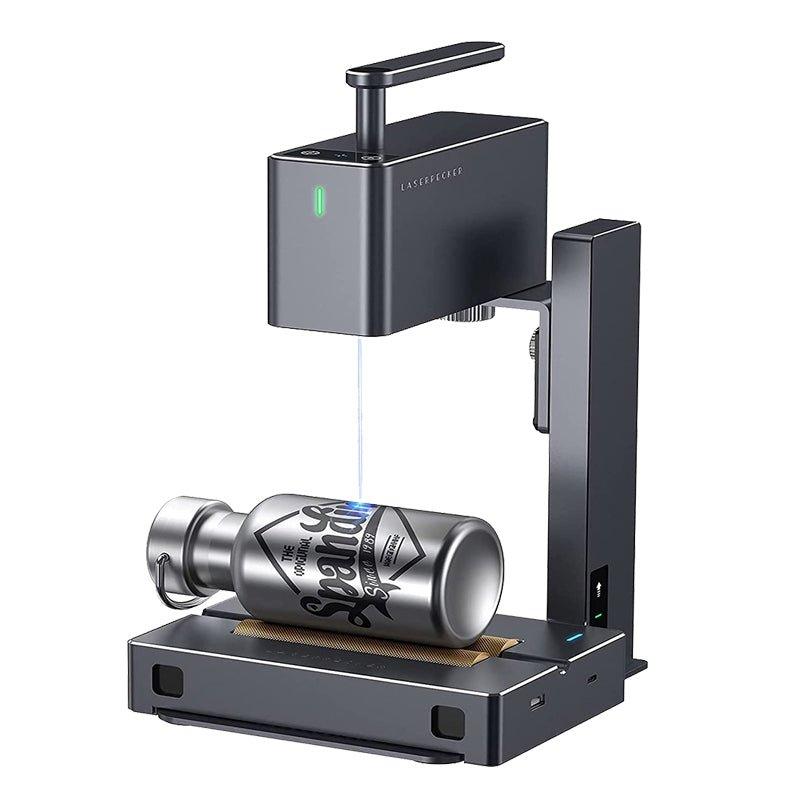
Laser Engraver Price: What to Expect Before You Buy
Laser engraver prices can range from a few hundred dollars for a compact hobby machine to tens of thousands of dollars for industrial equipment. The right budget depends on what you plan to engrave, the size and volume of your projects, and the type of laser technology you need.
Understanding the main price ranges—and the costs beyond the machine itself—can help you choose equipment that fits your work without paying for features you don’t need.
Typical Laser Engraver Price Ranges
Prices vary by brand, power, work area, included accessories, and location. The following ranges are general estimates, not quotes:
- Entry-level diode engravers: About $150 to $1,000. These machines are often used for small home projects and light-duty engraving on suitable materials.
- More capable diode systems: About $500 to $2,000 or more. They may offer a larger work area, an enclosure, improved motion systems, or higher output.
- Desktop CO2 engravers: Often around $2,000 to $6,000. CO2 machines are commonly selected for engraving and cutting certain nonmetal materials, such as wood and acrylic.
- Industrial CO2 systems: Typically $5,000 to $20,000 or more, depending on power, bed size, automation, and production features.
- Fiber laser marking machines: Commonly about $3,000 to $15,000 or more. Fiber lasers are frequently used to mark metals and some plastics.
Prices can fall outside these ranges, especially for specialized, high-production, or custom-configured equipment. Check the manufacturer’s specifications and what is included in the listed price before comparing models.
What Affects the Price?
Laser Type
The laser source is one of the biggest factors in the overall cost. Diode, CO2, and fiber lasers are designed for different tasks and materials. A lower-priced machine may be a good fit for occasional projects, while a different laser type may be necessary for reliable results on your intended materials.
Power and Work Area
Higher power can support faster processing or work with a broader range of tasks, depending on the laser and material. A larger work area can accommodate bigger pieces or multiple items at once. Both features may increase the purchase price, so consider your typical project size and production needs.
Construction and Components
Frame rigidity, motion components, cooling systems, controls, and software compatibility can affect both price and performance. Better-built equipment may be more suitable for frequent use, while a basic machine may be adequate for occasional personal projects.
Safety Features
Enclosures, interlocks, exhaust connections, and other protective features can add to the cost, but they are important considerations. Laser equipment can pose serious eye, fire, and fume hazards. Follow the manufacturer’s safety instructions, use suitable ventilation, and choose protective equipment appropriate for the specific laser.
Don’t Forget the Additional Costs
The machine is only part of the total investment. Depending on the model and your workspace, you may also need to budget for:
- Exhaust ventilation, ducting, or air filtration
- Cooling equipment, such as a chiller for some CO2 systems
- An enclosure or other safety accessories
- Rotary attachments for cylindrical objects
- Air assist, lenses, and replacement parts
- Design or laser-control software
- Materials for testing and production
- Shipping, taxes, installation, or training
- Maintenance and eventual replacement of consumable components
Ask sellers for a complete list of included equipment and any recommended accessories. A machine with a lower advertised price may require additional purchases before it is ready for your intended use.
How to Choose a Laser Engraver for Your Budget
- List the materials you plan to use. Confirm that the laser type is suitable for each material. Never process a material unless its safety and compatibility are known.
- Estimate your workload. A hobby machine may suit occasional projects, while frequent production may call for a more robust system.
- Measure your typical projects. Choose a work area that fits your needs without overpaying for unused capacity.
- Compare complete setups. Include ventilation, safety equipment, accessories, software, and shipping in your budget.
- Review support and warranty terms. Technical assistance, documentation, parts availability, and warranty coverage can matter as much as the initial price.
Is a More Expensive Laser Engraver Worth It?
Not always. A higher-priced machine may offer a larger work area, faster operation, stronger construction, or more convenient safety features, but those benefits are valuable only if they match your requirements. For occasional small projects, a simpler system may be sufficient. For a business, production speed, repeatability, service support, and downtime can be important parts of the long-term cost.
Before buying, compare machines based on the jobs they can perform—not just their advertised power or price. Request a demonstration or sample engraving when possible, and verify that the results meet your expectations.
Final Thoughts
Laser engraver prices depend on the technology, capabilities, build quality, and intended use. Entry-level machines may cost a few hundred dollars, while professional and industrial systems can cost several thousand dollars or more. A realistic budget should include the complete setup, ongoing supplies, and appropriate safety measures.
By identifying your materials, project size, and expected workload first, you can narrow your options and invest in a laser engraver that fits both your needs and your budget.
6 Tips for Comparing Laser Engraver Prices and Choosing the Right Model
- Compare prices across multiple retailers.
- Set a budget before choosing a model.
- Check whether the price includes essential accessories.
- Factor in shipping, taxes, and setup costs.
- Compare warranties and support, not just sticker prices.
- Choose a laser type and power level that fit your needs.
Compare prices across multiple retailers.
Compare prices across multiple retailers before buying a laser engraver. Check the total cost—not just the listed price—including shipping, taxes, accessories, and any setup fees. Also compare what each seller includes, such as warranties, customer support, and essential safety equipment, so you can judge the overall value and choose the best fit for your budget.
Set a budget before choosing a model.
Set a budget before choosing a laser engraver model. Include more than the machine’s purchase price: accessories, ventilation, safety equipment, software, materials, shipping, and maintenance can all add to the total cost. Knowing your budget upfront makes it easier to compare models with the features you actually need and avoid paying extra for capabilities you may not use.
Check whether the price includes essential accessories.
Before comparing laser engraver prices, check which essential accessories are included. Items such as an enclosure, exhaust or air-assist system, cooling equipment, rotary attachment, and safety gear may be sold separately, adding significantly to the total cost. Compare complete setups—not just the machine’s advertised price—and confirm that the included accessories suit your materials and workspace.
Factor in shipping, taxes, and setup costs.
When comparing laser engraver prices, look beyond the machine’s listed cost and factor in shipping, taxes, and setup expenses. A large or delicate unit may require costly freight delivery, while taxes and import fees can add to the final bill. You may also need to budget for installation, ventilation, cooling equipment, or professional setup. Including these expenses upfront gives you a more accurate total cost and helps prevent surprises after purchase.
Compare warranties and support, not just sticker prices.
When comparing laser engraver prices, look beyond the sticker price and review each seller’s warranty and support. A longer or more comprehensive warranty, access to replacement parts, clear setup instructions, and responsive technical help can save time and money if something goes wrong. Check what the warranty covers, how long it lasts, and whether support is available when you need it—these details can make a higher-priced machine a better overall value.
Choose a laser type and power level that fit your needs.
Choose a laser type and power level based on the materials you plan to engrave and how often you’ll use the machine. Diode, CO2, and fiber lasers are suited to different applications, so confirm that a model can handle your intended materials before comparing prices. Higher power may improve speed or expand capability, but it can also raise the upfront cost. Paying for features you won’t use may not be worthwhile, while choosing a machine that’s too limited could lead to costly upgrades later.
No Responses