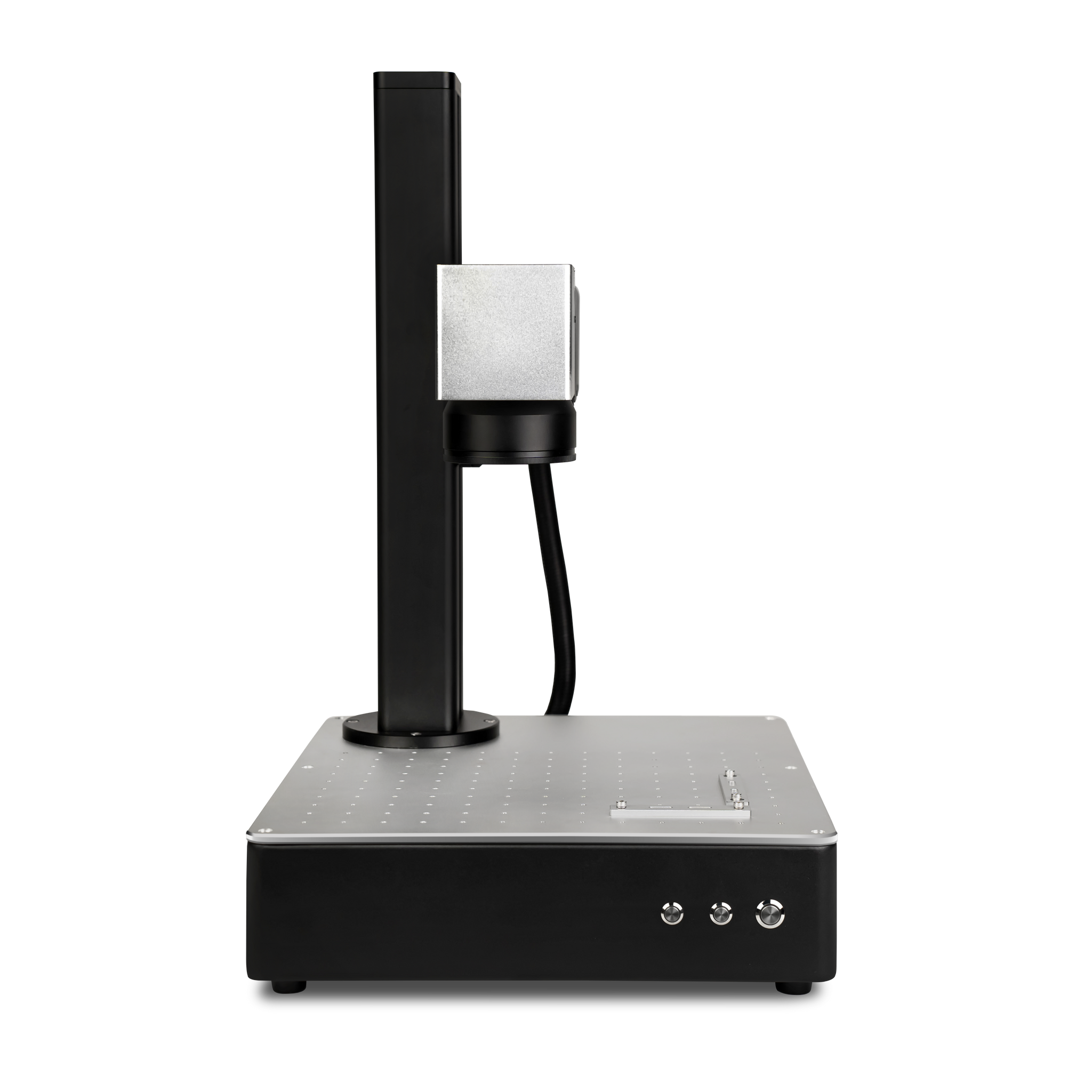
100-Watt Laser Engraver: Power, Uses, and What to Consider
A 100-watt laser engraver offers substantial power for engraving and cutting a range of materials. Compared with lower-powered machines, it can often process materials more quickly, engrave deeper, or cut thicker stock in fewer passes. The exact results depend on the laser type, machine design, material, lens, settings, and ventilation—not wattage alone.
Whether you run a small business, manage a workshop, or are comparing equipment for a production environment, understanding what a 100-watt laser can and cannot do can help you choose the right system.
What Does “100 Watt” Mean?
The wattage describes the laser’s rated optical output, though manufacturers may also specify electrical input power. These figures are not interchangeable. When comparing machines, check whether the stated rating refers to the laser source’s optical output and review the manufacturer’s technical specifications.
Laser type matters, too. A 100-watt CO2 laser and a 100-watt fiber laser interact differently with materials. CO2 lasers are commonly used with wood, acrylic, paper, leather, and other nonmetals. Fiber lasers are typically suited to marking metals and certain plastics. The right choice depends on the materials and tasks you plan to handle.
What Can a 100-Watt Laser Engraver Do?
A suitable 100-watt machine can be used for a variety of projects, such as:
- Engraving logos, text, artwork, and serial numbers
- Personalizing signs, gifts, awards, and promotional items
- Cutting selected materials within the machine’s specified limits
- Producing components, templates, and prototypes
- Handling repeated jobs in a small-batch or production workflow
Cutting capacity is not determined by wattage alone. Material composition, thickness, focus, air assist, lens condition, machine alignment, and the number of passes all affect the outcome. Always use the manufacturer’s material and thickness guidance, and test settings on a sample before starting a finished piece.
Benefits of a 100-Watt System
More processing power
Higher output can allow a machine to engrave or cut certain materials faster than a lower-powered system, depending on the application and setup. This can be valuable when handling larger orders or repeated work.
Greater flexibility
A 100-watt engraver may support a broader range of jobs than an entry-level machine. With the right laser source and configuration, users can switch between detailed engraving and suitable cutting tasks.
Potential for increased throughput
For businesses, processing speed can affect how many jobs fit into a workday. A powerful machine may help improve throughput, but productivity also depends on setup time, material handling, software, maintenance, and operator experience.
How to Choose the Right Machine
Before buying a 100-watt laser engraver, consider the following factors:
- Laser type: Choose a source designed for the materials you expect to process.
- Work area: Make sure the bed accommodates your typical project sizes.
- Motion and positioning: Look for a stable frame and consistent movement suited to your accuracy requirements.
- Cooling: Check the cooling requirements and whether the machine includes or requires a separate cooling unit.
- Air assist and exhaust: Confirm that the system can manage smoke and debris appropriately.
- Software compatibility: Verify that the machine works with your operating system and preferred design workflow.
- Service and parts: Consider access to technical support, replacement components, and maintenance instructions.
- Safety features: Review the enclosure, interlocks, emergency stop, and other safeguards.
Safety and Material Compatibility
A 100-watt laser can cause serious injury, start fires, and produce hazardous fumes. Use the machine only as directed by its manufacturer, with appropriate guarding and protective measures. Keep the work area supervised, maintain a suitable fire-safety plan, and use effective exhaust ventilation.
Not every material is safe to engrave or cut. Some plastics and treated materials can release toxic or corrosive fumes. Never process an unidentified material, and consult reliable safety information before use. Protective eyewear should be appropriate for the laser’s wavelength and should not replace proper machine enclosure and interlocks.
Is a 100-Watt Laser Engraver Right for You?
A 100-watt engraver may be a strong option if your work requires higher output, regular production, or the ability to handle a wider range of suitable tasks. For occasional engraving of small items, a lower-powered machine may be more economical and easier to accommodate. For metal marking, thick-material cutting, or specialized production, confirm that the laser type and complete machine configuration are appropriate.
The best choice is the system that matches your materials, project size, production goals, workspace, and safety requirements. Compare full specifications rather than relying on wattage alone, and consult the manufacturer before processing materials or thicknesses that are not explicitly supported.
100-Watt Laser Engraver FAQs: Materials, Cutting Thickness, Business Use, Laser Types, Cost, and Safety
- What materials can a 100-watt laser engraver engrave or cut?
- How thick can a 100-watt laser engraver cut?
- Is a 100-watt laser engraver suitable for a small business?
- What is the difference between a 100-watt CO2 laser and a 100-watt fiber laser?
- How much does a 100-watt laser engraver cost?
- What safety precautions are needed when using a 100-watt laser engraver?
What materials can a 100-watt laser engraver engrave or cut?
A 100-watt laser engraver can work with a variety of materials, but the right options depend on the laser type. CO₂ models commonly engrave or cut wood, acrylic, leather, paper, cardboard, and some fabrics, while fiber lasers are generally used to mark metals and certain plastics. Cutting thickness and engraving results vary with material composition, machine setup, lens, and settings, so check the manufacturer’s guidance and test a sample first. Avoid processing unknown materials or substances that may release hazardous fumes.
How thick can a 100-watt laser engraver cut?
A 100-watt CO₂ laser engraver can often cut materials such as wood or acrylic around 10–15 mm thick, but the actual limit depends on the material, machine configuration, lens, focus, airflow, and cutting speed; some jobs may require multiple passes or produce rougher edges. A 100-watt fiber laser is designed for different materials and may not cut wood or acrylic effectively. Check the manufacturer’s specifications and test the material before starting a project.
Is a 100-watt laser engraver suitable for a small business?
Yes, a 100-watt laser engraver can be suitable for a small business, especially if you need to handle regular orders, work with a variety of compatible materials, or improve production speed. Before investing, consider the laser type, work area, ventilation and cooling requirements, safety features, maintenance costs, and whether its capabilities match your products. For occasional, small-scale engraving, a lower-powered machine may be more cost-effective, so compare the total cost of ownership with your expected workload.
What is the difference between a 100-watt CO2 laser and a 100-watt fiber laser?
A 100-watt CO₂ laser and a 100-watt fiber laser differ mainly in the materials they process effectively. CO₂ lasers are commonly used to engrave or cut nonmetals such as wood, acrylic, paper, and leather, while fiber lasers are generally better suited to marking metals and some types of plastic. Although both are rated at 100 watts, their performance depends on the material, machine configuration, and application, so choose based on what you plan to work with—not wattage alone.
How much does a 100-watt laser engraver cost?
The cost of a 100-watt laser engraver varies by laser type, work area, build quality, and included features. Many entry-level or midrange 100-watt CO₂ systems cost roughly $3,000 to $8,000, while industrial machines with larger work areas, automation, or advanced cooling can cost $10,000 or more. A 100-watt fiber laser may fall in a different price range, so compare systems designed for your materials and intended work. Remember to budget for ventilation, cooling, software, maintenance, and other accessories.
What safety precautions are needed when using a 100-watt laser engraver?
When using a 100-watt laser engraver, follow the manufacturer’s safety instructions and never leave the machine running unattended. Keep the laser properly enclosed, use functioning interlocks, and wear wavelength-appropriate protective eyewear when required—eyewear does not replace a safety enclosure. Provide effective exhaust ventilation, since engraving and cutting can release hazardous fumes, and only process materials confirmed safe for your machine. Keep flammable items away, maintain a suitable fire extinguisher nearby, and be ready to stop the machine if a fire or equipment problem occurs.
No Responses