Laser Machines for Leather: Cutting, Engraving, and Choosing the Right System
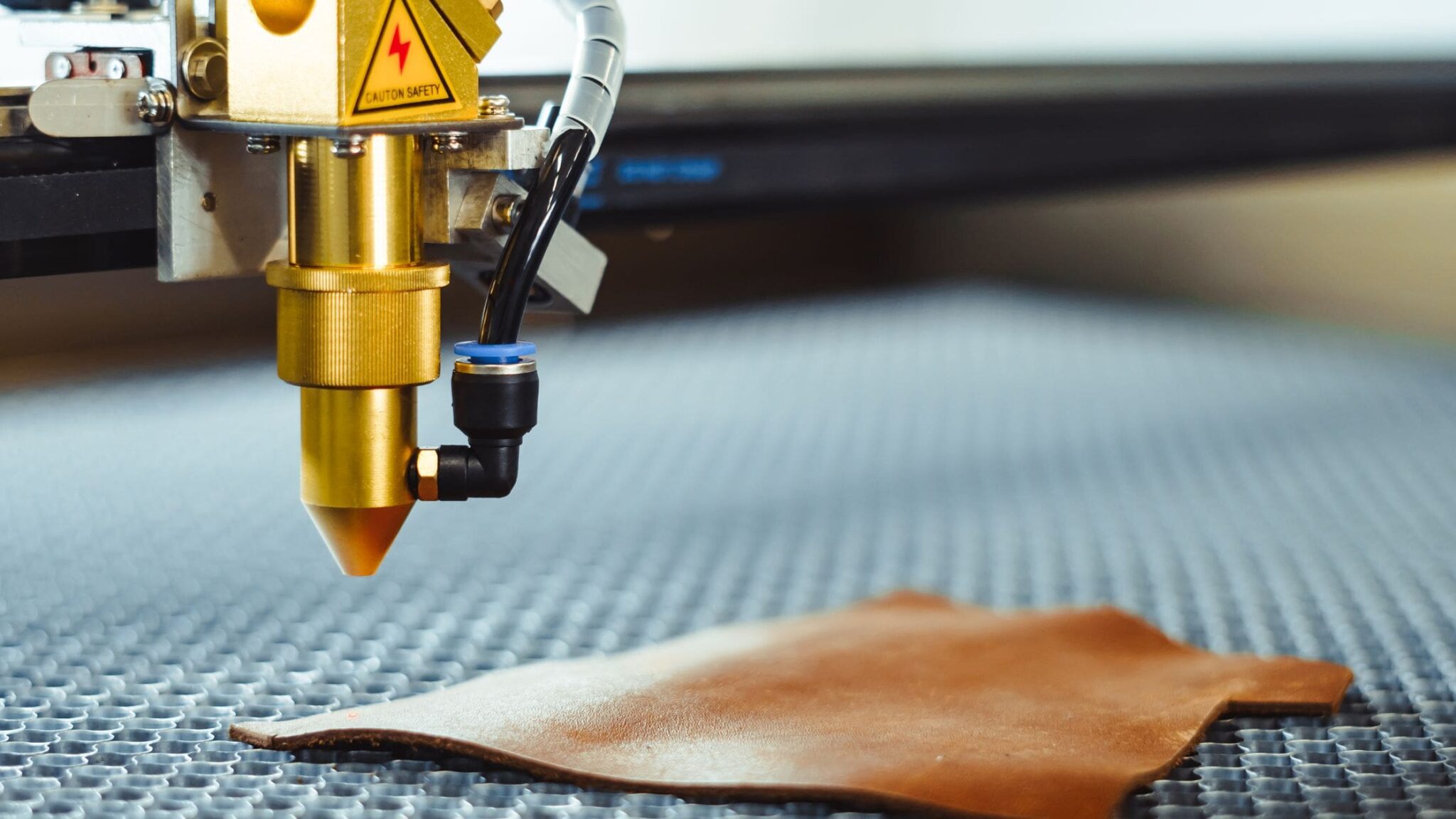
A laser machine can cut and engrave leather with fine detail, repeatable results, and minimal physical contact. From personalized wallets and belts to labels, accessories, and custom upholstery components, laser processing gives makers and businesses a flexible way to work with leather.
How Laser Processing Works
A focused laser beam heats a small area of the leather surface. Depending on the machine, material, and settings, the beam can mark a design, create a darker engraved area, or cut through the material. Because the laser follows a digital design, it can reproduce intricate patterns and lettering with consistent precision.
- Engraving: Creates text, logos, patterns, or decorative details on the leather surface.
- Cutting: Follows a design outline to make shapes, panels, tags, and other components.
- Marking: Produces subtle surface changes for identification or decoration, depending on the leather and laser type.
Common Uses for a Leather Laser Machine
Laser machines are used for both one-off projects and repeat production. Typical applications include:
- Personalized wallets, cardholders, and keychains
- Engraved logos and product branding
- Leather patches, labels, and tags
- Decorative panels and custom inlays
- Patterns and components for bags, footwear, and accessories
- Prototypes and short-run custom products
Choosing a Laser Machine for Leather
The best machine depends on the materials, designs, and production volume involved. Before choosing a system, consider these factors:
- Laser type: CO2 lasers are commonly used to cut and engrave many nonmetallic materials, including leather. Other laser types may be suitable for specific marking tasks, so confirm material compatibility with the manufacturer.
- Work area: Choose a bed size that accommodates your largest leather pieces while leaving room to position material safely.
- Power and speed: These affect processing capability, but higher power is not automatically better. The right combination depends on leather thickness, desired detail, and machine design.
- Motion and focus: Accurate motion control and a correctly focused beam help produce clean, consistent results.
- Software: Look for software that supports common design files and offers straightforward control over cutting and engraving jobs.
- Ventilation and filtration: Leather processing can produce smoke, odors, and airborne particles. A suitable exhaust or filtration setup is essential.
Leather Selection and Preparation
Different leathers respond differently to a laser. Thickness, surface finish, tanning method, dyes, coatings, and moisture can all affect the result. Vegetable-tanned leather is often used for laser projects, but it should still be tested before production. Finished, dyed, or treated leather may engrave or cut differently from untreated material.
Use only materials that have been identified as safe for laser processing. Do not laser-cut or engrave leather with unknown coatings or chemical treatments. In particular, avoid PVC-containing materials, which can release highly hazardous and corrosive gases when heated. When a material’s composition is uncertain, contact the supplier or choose a documented, laser-compatible alternative.
Tips for Better Results
- Run a test first. Test a small sample from the same leather batch to check color, depth, edge quality, and odor.
- Secure the material. Keep leather flat and stable so it does not shift during processing.
- Use a clean design file. Check dimensions, line settings, and duplicate paths before sending the job.
- Adjust settings gradually. Follow the machine manufacturer’s guidance and make small changes to speed and power rather than relying on a universal setting.
- Check the finished edge. If cutting produces excessive charring, review focus, airflow, material condition, and machine settings.
- Keep the lens and work area clean. Residue can affect performance and may create a fire risk.
Safety and Maintenance
Never leave a laser machine running unattended. Leather and other organic materials can ignite, so maintain proper supervision and keep appropriate fire-safety equipment nearby. Use an enclosure and exhaust system designed for the machine, and follow the manufacturer’s instructions for eye protection and operation. Regularly inspect the exhaust path, filters, optics, and motion components.
Is a Laser Machine Right for Your Leather Work?
A laser machine can be a useful tool for makers and manufacturers who need accurate cutting, detailed engraving, or repeatable personalization. The right choice depends on the type of leather, the size and complexity of the work, and the required production volume. With compatible materials, proper ventilation, careful testing, and routine maintenance, laser processing can make leather projects more precise and efficient.
Laser Machines for Leather: 8 FAQs on Cutting, Engraving, Settings, Safety, and Cost
- What type of laser machine is best for cutting and engraving leather?
- Can a CO2 laser cut and engrave genuine leather?
- What laser settings should I use for leather?
- Which types of leather are safe to laser cut or engrave?
- Can a laser machine engrave logos and designs on leather?
- How do I prevent leather from burning or getting charred during laser cutting?
- What ventilation and safety precautions are needed when laser processing leather?
- How much does a laser machine for leather cost?
What type of laser machine is best for cutting and engraving leather?
For most leather projects, a CO₂ laser machine is a versatile choice because it can cut many types of natural leather and engrave detailed designs. Choose the work area and laser power based on the leather’s thickness and your production needs, and test settings on a scrap piece first. Always confirm that the material is safe for laser processing, since some coatings and synthetic materials can release hazardous fumes, and use proper ventilation.
Can a CO2 laser cut and engrave genuine leather?
Yes, a CO₂ laser can cut and engrave many types of genuine leather, creating detailed designs and clean cuts when the material and machine settings are suitable. Results vary with the leather’s thickness, tanning method, finish, and moisture, so test a small offcut and follow the machine manufacturer’s guidance before production. Use effective exhaust ventilation, never leave the machine unattended, and avoid leather with unknown coatings or chemical treatments.
What laser settings should I use for leather?
The right laser settings for leather depend on your machine, laser type, leather thickness, finish, and the result you want, so there is no universal power-and-speed setting. Start with the machine manufacturer’s recommended settings, then test a small piece from the same leather batch and adjust gradually: engraving typically uses lower power or faster speed than cutting, while thicker material may require slower speeds or multiple passes. Use adequate ventilation and air assist if recommended, and never leave the machine unattended because leather can ignite.
Which types of leather are safe to laser cut or engrave?
Vegetable-tanned, untreated leather is often suitable for laser cutting or engraving, but always confirm the material’s composition with its supplier and test a small sample first. Avoid PVC or vinyl “leather,” chrome-tanned leather, and any material with unknown coatings or treatments, as laser processing may release hazardous fumes. Use proper exhaust ventilation and follow the laser machine manufacturer’s safety guidance.
Can a laser machine engrave logos and designs on leather?
Yes, a laser machine can engrave logos, text, and decorative designs on many types of leather. It follows a digital design to create detailed, repeatable marks, making it useful for personalizing products such as wallets, bags, belts, and leather tags. Results vary depending on the leather’s type, finish, and treatment, so test a small sample first and use only materials confirmed as safe for laser processing.
How do I prevent leather from burning or getting charred during laser cutting?
To reduce burning or charring when laser-cutting leather, use the lowest power and fastest cutting speed that still cut cleanly, and make sure the material is flat and the laser is properly focused. Use air assist and effective exhaust ventilation if recommended for your machine, and keep the lens and work area clean. Test settings on a scrap piece from the same leather, since thickness, tanning, dyes, and finishes can affect results. Avoid repeated passes unless necessary, and use masking only if it is compatible with laser processing. Never leave the machine unattended, as leather can ignite.
What ventilation and safety precautions are needed when laser processing leather?
Laser processing leather requires effective ventilation to remove smoke, odors, and airborne particles. Use the machine’s recommended exhaust system or a properly rated filtration unit, and ensure the exhaust is vented safely outdoors when applicable. Process only leather with a known, laser-compatible composition; avoid materials with PVC or unidentified coatings, which can release hazardous fumes. Never leave the machine unattended, since leather can ignite, and keep the work area clean and suitable fire-safety equipment nearby. Follow the manufacturer’s instructions for enclosure use, eye protection, and maintenance, and test unfamiliar materials before production.
How much does a laser machine for leather cost?
The cost of a laser machine for leather varies by laser type, power, work area, and included features. Small desktop engravers may cost a few hundred to a few thousand dollars, while larger, more powerful systems for regular production can range from several thousand to tens of thousands of dollars. Remember to budget for essentials such as ventilation or filtration, software, maintenance, and replacement parts. Compare machines based on the leather thickness and project size you need to handle, and check that the system is designed for the materials you plan to process.
No Responses