How to Choose a Budget Laser Cutter
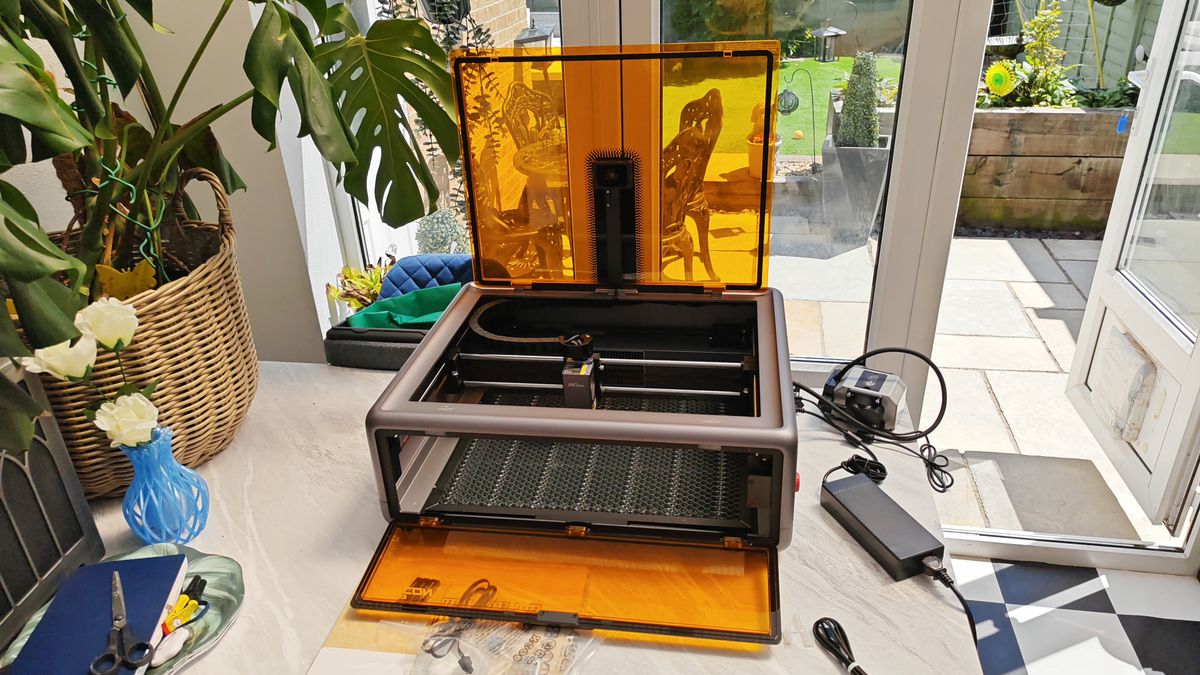
A budget laser cutter can make engraving and cutting projects more accessible, whether you are a hobbyist, small-business owner, educator, or maker. The right machine can handle useful work without requiring an industrial-sized investment. The key is to compare the cutter’s real capabilities—not just its advertised price—and make sure it suits the materials and projects you have in mind.
What Counts as a Budget Laser Cutter?
“Budget” can mean different things depending on the machine type, work area, power, and included accessories. A compact desktop engraver may cost much less than an enclosed machine designed to cut thicker materials. Keep in mind that the initial price is only part of the total cost. Ventilation, protective equipment, replacement parts, software, and materials may also affect your budget.
Choose the Right Laser Type
Different laser technologies are suited to different jobs:
- Diode lasers are often a lower-cost option for hobby projects, engraving, and cutting thinner materials. Their performance varies by material, thickness, and machine configuration.
- CO2 lasers are commonly used for cutting and engraving materials such as wood, acrylic, and some fabrics. They typically cost more and require additional space and maintenance.
- Fiber lasers are designed primarily for marking and engraving metals and certain plastics. They are not a general-purpose substitute for a CO2 cutter.
Check the manufacturer’s material guidance before buying. A machine that engraves a material may not be able to cut it cleanly or safely.
Look Beyond the Power Rating
Laser power is important, but it does not tell the whole story. Cutting results also depend on the laser type, optics, motion system, focus, airflow, and material. Look for clear specifications, sample results, and realistic cutting guidance. Be cautious of listings that promise to cut a wide range of thick materials without explaining the conditions required.
Measure the Work Area
The usable work area determines the maximum size of the material you can process in one pass. A smaller bed may be sufficient for ornaments, labels, signs, and small components. Larger projects may require a bigger machine or a way to process material in sections. Measure your typical projects before choosing a cutter, and check the machine’s external dimensions as well as its working area.
Account for Safety and Ventilation
Laser cutting creates intense light, heat, smoke, and potentially hazardous fumes. A low-cost machine is not a bargain if it lacks the protection needed for safe operation. Look for suitable guarding or an enclosure, emergency-stop features, clear safety instructions, and a practical way to exhaust fumes outdoors or use an appropriate filtration system.
Never leave a laser cutter running unattended. Keep the work area clear of flammable materials, use materials approved for laser processing, and follow the manufacturer’s instructions for eye protection and ventilation. Some materials, including PVC and other chlorine-containing plastics, can release dangerous gases and should not be cut with a laser.
Check Software and Ease of Use
Before purchasing, find out which file formats the machine accepts and whether its software works with your computer. A user-friendly workflow can save time, especially for beginners. Useful features may include adjustable speed and power settings, preview tools, positioning aids, and clear setup documentation.
Consider the Full Cost of Ownership
Compare the complete setup rather than the machine price alone. Possible expenses include:
- Ventilation equipment or a filtration unit
- Protective enclosure and safety accessories
- Replacement lenses, belts, or other maintenance parts
- Materials for testing and production
- Shipping, setup, and workspace modifications
Also review the warranty, availability of replacement parts, customer support, and maintenance requirements. A slightly more expensive model may offer better long-term value if it is easier to service and has dependable support.
Make a Shortlist Before You Buy
Start by listing the materials you want to work with, their thickness, and the approximate size of your projects. Then compare machines based on laser type, work area, verified performance, safety features, software, warranty, and total setup cost. If possible, look for demonstrations using the same materials you plan to cut.
Final Thoughts
The best budget laser cutter is not necessarily the cheapest model. It is the machine that safely and reliably handles your intended projects while fitting your workspace and total budget. By checking the laser type, practical cutting ability, work area, safety provisions, and ongoing costs, you can choose a cutter that delivers useful results without paying for features you do not need.
Budget Laser Cutter FAQs: Best Affordable Options and Buying Advice
- What is the best affordable laser cutter?
- Are cheap laser engravers worth it?
- Are there any laser cutters that are affordable like xTool?
- Is it worth buying a laser cutter?
What is the best affordable laser cutter?
The best affordable laser cutter depends on what you plan to make. For hobby projects, engraving, and cutting thin materials, a diode laser is often a budget-friendly starting point; look for a model with reliable safety features, air assist, clear software, and good customer support. If you need to cut thicker wood or acrylic regularly, a CO2 laser may be a better fit, though it typically costs more and needs more space and ventilation. Compare the machine’s real-world performance on your materials, total setup costs, and warranty—not just its advertised price.
Are cheap laser engravers worth it?
Cheap laser engravers can be worth it for beginners, hobbyists, and small projects, especially when you mainly want to engrave or work with thin materials. Their lower price may come with tradeoffs, such as a smaller work area, slower operation, limited cutting ability, or fewer safety features. Before buying, check reliable reviews, material compatibility, software support, warranty, and the cost of ventilation and protective equipment. If the machine safely handles the projects you plan to make, an entry-level model can be a practical way to get started.
Are there any laser cutters that are affordable like xTool?
Yes, several laser cutters offer features and pricing comparable to xTool, but the best option depends on your budget, materials, and project size. Brands such as Longer, Atomstack, and Ortur offer desktop diode laser models at a range of price points, while some entry-level CO₂ machines may suit buyers who need more cutting power. Compare the machine’s real-world cutting performance, work area, safety features, software, warranty, and the cost of essentials like ventilation before deciding—prices and specifications can change, so check current listings and reviews.
Is it worth buying a laser cutter?
Buying a laser cutter can be worth it if you’ll use it regularly for projects such as engraving, making signs, crafting, or producing small items for sale. It offers precision and repeatability, but the machine’s price is only part of the cost: you may also need ventilation, safety equipment, materials, and maintenance. Before buying, consider how often you’ll use it, which materials and sizes you need to work with, and whether the total setup fits your budget. If you only need occasional cuts, using a local service or makerspace may be more economical.
No Responses