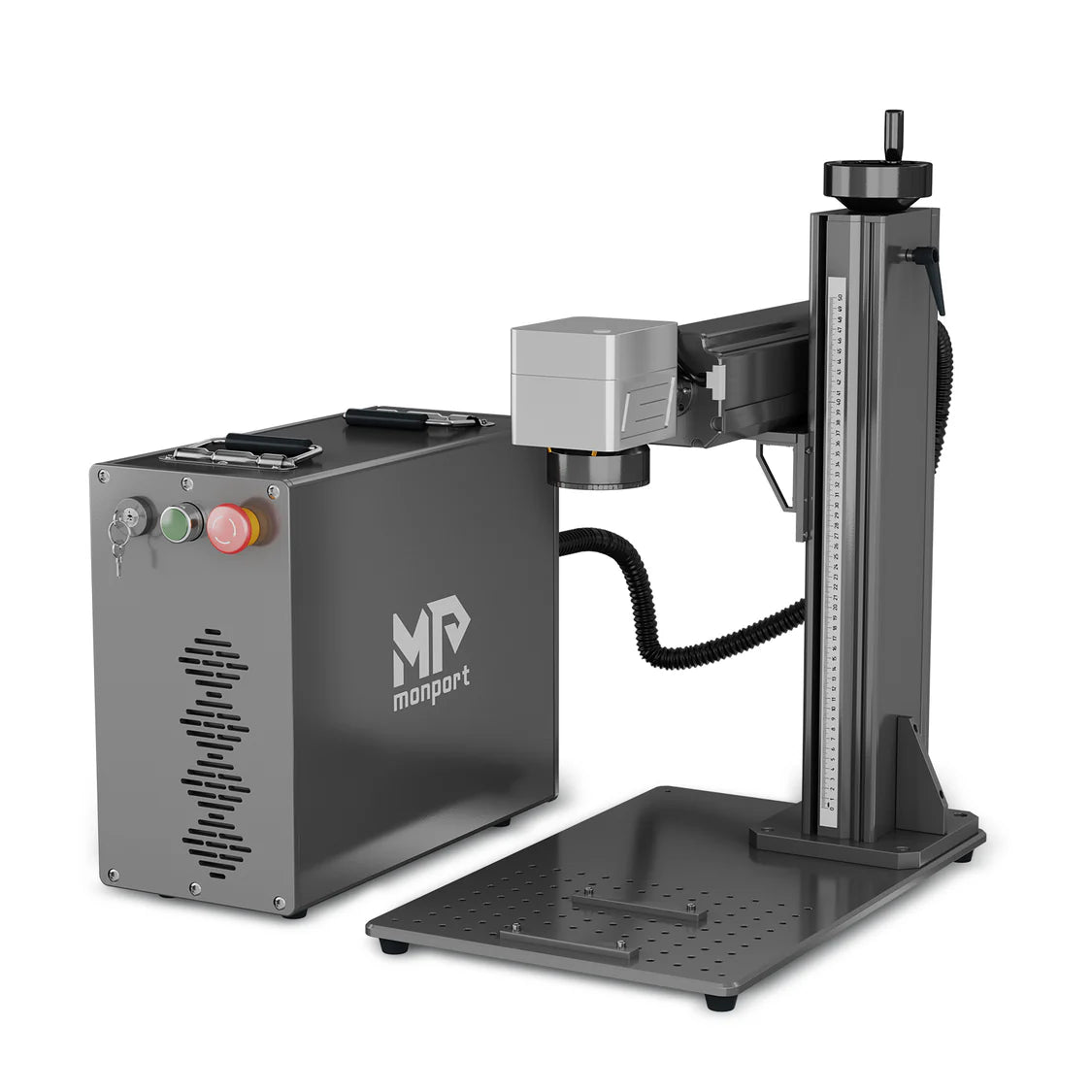
60 Watt MOPA Fiber Laser: A Guide to Precision Marking and Engraving
A 60 watt MOPA fiber laser combines the speed and precision of fiber laser technology with flexible control over pulse duration and frequency. This versatility makes it a popular choice for businesses that mark and engrave metal parts, tools, promotional products, and other items. Understanding how a MOPA laser works—and what to consider before choosing one—can help you decide whether it fits your production needs.
What Is a MOPA Fiber Laser?
MOPA stands for “Master Oscillator Power Amplifier.” In a MOPA fiber laser, the pulse characteristics can be adjusted across a range of settings. Depending on the laser source, users can control factors such as pulse duration and pulse frequency, alongside power and marking speed.
This added flexibility can help tailor the laser’s effect to different materials and applications. For example, a setup designed for a crisp surface mark may differ from one used for deeper engraving. The results depend on the laser source, the machine’s optics and software, the material, and the selected settings.
What Does 60 Watts Mean?
The 60-watt rating describes the laser’s nominal output power. In practical terms, it can offer a useful balance of marking speed, capability, and cost for many production environments. Actual performance varies, however, and the wattage alone does not determine how quickly or deeply a machine can mark a part.
Other important factors include the laser’s pulse settings, beam quality, lens and work area, marking software, material composition, and part preparation. A sample test on the material you plan to process is one of the best ways to evaluate a machine.
Common Applications
A 60 watt MOPA fiber laser is commonly used for applications such as:
- Marking serial numbers, barcodes, QR codes, and logos on metal components
- Engraving tools, nameplates, tags, and industrial parts
- Personalizing jewelry, drinkware, and promotional products
- Creating selected surface finishes on stainless steel
- Marking certain plastics and coated materials, when compatible with the material and process
MOPA systems can produce color effects on some metals, including stainless steel, under suitable conditions. Color marking is sensitive to the material’s surface, the laser settings, and the process environment, so results can vary. Testing is essential when color consistency matters.
Potential Advantages of a 60 Watt MOPA System
Flexible process settings
Adjustable pulse characteristics give operators more options for tuning the interaction between the laser and the material. This can be useful when switching between different marking tasks or working with heat-sensitive surfaces.
Fast, permanent marks
Fiber lasers are widely used for durable identification marks on many metals. A 60-watt system may support efficient processing for suitable jobs, though achievable speed depends on the mark design, material, and required result.
Compact, low-maintenance operation
Many fiber laser marking systems have a compact footprint and do not use consumable ink or mechanical cutting tools for marking. Routine care still matters: operators should follow the manufacturer’s guidance for cleaning, ventilation, inspection, and service.
How to Choose the Right Machine
Before purchasing a 60 watt MOPA fiber laser, consider the work you need it to perform. Review the following details with the supplier:
- Materials: Confirm compatibility with your specific metals, plastics, coatings, or finishes.
- Work area: Choose a lens and marking field that suit the size of your parts and the level of detail required.
- Software: Check that the system supports your file formats, workflow, and identification requirements.
- Automation: Determine whether you need rotary fixtures, a motorized axis, conveyors, or integration with production equipment.
- Support: Ask about training, warranty terms, replacement parts, and technical assistance.
- Sample testing: Request a test using your actual material and target artwork before making a decision.
Laser Safety Is Essential
Industrial fiber lasers can present serious eye and skin hazards. Use the machine only in accordance with its safety documentation and applicable regulations. A properly enclosed system with interlocks and suitable extraction can help manage risks, but it does not remove the need for training and safe operating procedures. Never view the beam directly or operate an open system without the required protective measures and wavelength-appropriate eyewear.
Is a 60 Watt MOPA Fiber Laser Right for You?
A 60 watt MOPA fiber laser may be a strong option for businesses that need flexible, precise marking or engraving on compatible materials. Its adjustable pulse characteristics can support a variety of applications, while the 60-watt output provides a practical level of power for many workshop and production tasks.
The best choice depends on the parts you process, the finish you need, your production volume, and your safety requirements. Compare complete machine specifications, test representative samples, and consult a qualified supplier to determine whether a 60 watt MOPA fiber laser is right for your operation.
7 Essential Tips for Safe and Effective 60-Watt MOPA Fiber Laser Engraving
- Use a fully enclosed, interlocked setup and wavelength-rated eyewear.
- Start with the manufacturer’s settings for your material.
- Test power, speed, frequency, and pulse width on scrap first.
- Keep the lens clean and set focus accurately.
- Use effective fume extraction, especially on coated metals.
- Change one setting at a time to identify what improves the mark.
- Never engrave PVC or unknown materials that may release hazardous fumes.
Use a fully enclosed, interlocked setup and wavelength-rated eyewear.
For safe operation of a 60-watt MOPA fiber laser, use a fully enclosed system with functioning safety interlocks to help prevent exposure to the laser beam. Wear wavelength-rated protective eyewear whenever required by the machine’s safety procedures; ordinary glasses or eyewear without the correct rating may not provide adequate protection. Follow the manufacturer’s instructions and applicable safety regulations, and never bypass interlocks or operate the laser with its enclosure open.
Start with the manufacturer’s settings for your material.
Start with the manufacturer’s recommended settings for your material when using a 60-watt MOPA fiber laser. These settings provide a practical baseline for power, speed, frequency, and pulse duration, helping you avoid unnecessary trial and error. Because materials, coatings, and machine configurations can vary, test the settings on a sample piece first, then make small adjustments until you achieve the desired mark without damaging the surface.
Test power, speed, frequency, and pulse width on scrap first.
Before using a 60-watt MOPA fiber laser on a finished part, test the settings on scrap material that matches the workpiece as closely as possible. Adjust power, speed, frequency, and pulse width one at a time, then compare the results to find a combination that delivers the desired mark without unwanted discoloration, excess heat, or surface damage. Save the settings that work, but verify them whenever the material, finish, or setup changes.
Keep the lens clean and set focus accurately.
Keep the lens clean and set the focus accurately to get consistent results from a 60-watt MOPA fiber laser. Dust, fingerprints, or residue on the lens can interfere with the beam and reduce marking quality, so clean it only as directed by the manufacturer using the recommended materials. Before each job, position the workpiece at the correct focal distance and confirm the focus across the marking area. Proper lens care and focusing can help produce sharper marks and avoid unnecessary rework.
Use effective fume extraction, especially on coated metals.
Use effective fume extraction whenever you operate a 60-watt MOPA fiber laser, especially when marking coated metals. The laser can release smoke and potentially harmful fumes as it interacts with coatings, so capture them close to the source with a properly sized extraction system and suitable filtration. Follow the equipment and material manufacturers’ safety guidance, and don’t rely on general room ventilation alone.
Change one setting at a time to identify what improves the mark.
When dialing in a 60-watt MOPA fiber laser, change only one setting at a time—such as power, speed, frequency, or pulse duration—and keep the others constant. This makes it easier to see which adjustment improves the mark and helps you repeat successful results. Record each setting and test on a sample of the same material you’ll be processing.
Never engrave PVC or unknown materials that may release hazardous fumes.
Never engrave PVC or materials you can’t positively identify with a 60-watt MOPA fiber laser. Laser heat can cause some plastics and coatings to release hazardous fumes that may harm people and damage equipment. Before processing any material, check its composition and the manufacturer’s safety information, and use appropriate ventilation and fume extraction. When in doubt, don’t engrave it.
No Responses