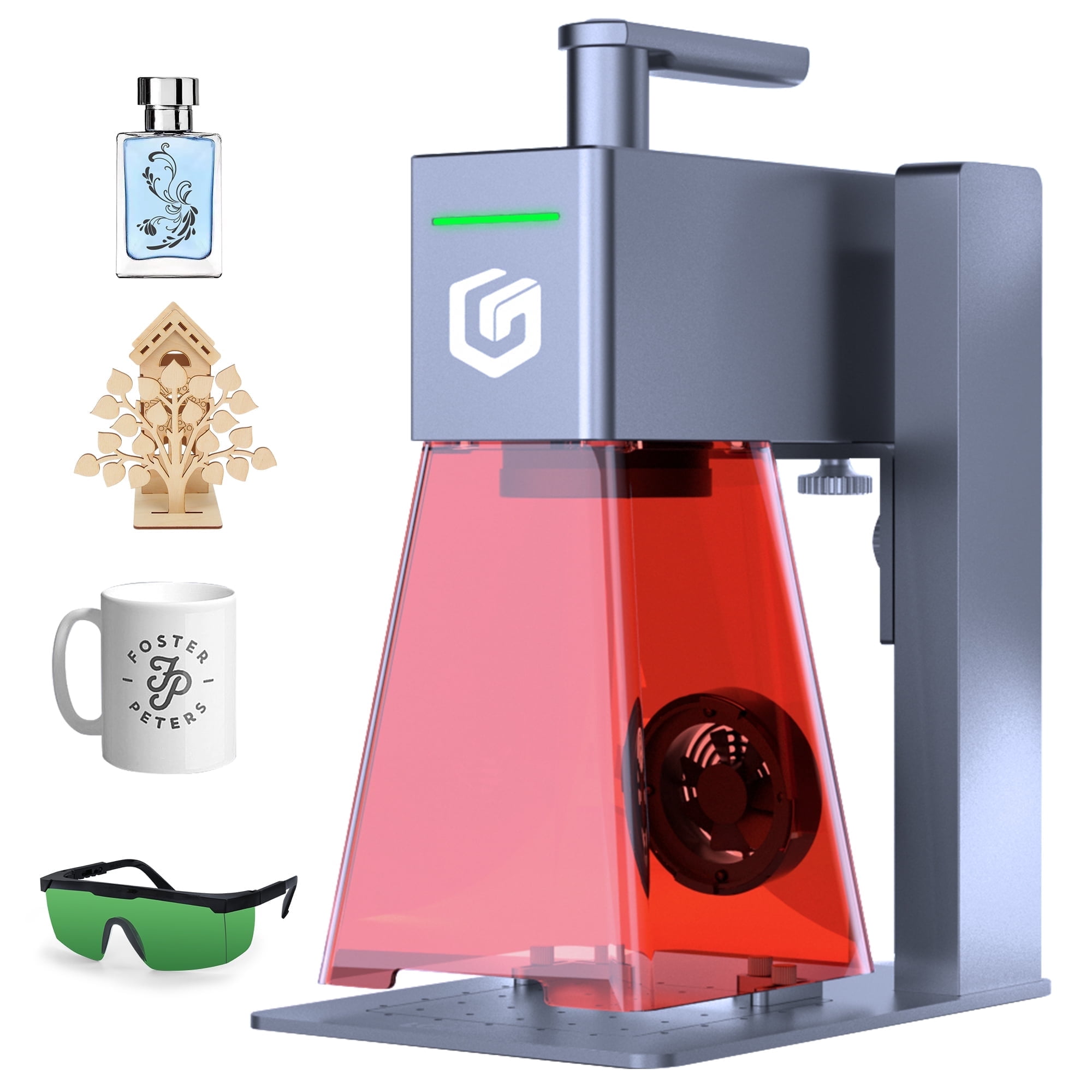
Handheld Laser Engraving Machines: A Practical Guide
A handheld laser engraving machine brings laser marking and engraving capabilities to projects that are difficult to move or fit inside a desktop machine. Instead of placing an item on a fixed work bed, an operator positions the laser head over the surface. This can make it easier to mark large objects, installed parts, tools, equipment, and other items that need to stay in place.
Handheld systems vary widely in design and capability. Some use a compact laser head connected to a controller, while others are built into a portable enclosure. Before choosing a machine, it helps to understand how the equipment works, which materials it can process, and what safety measures are required.
How a Handheld Laser Engraver Works
A laser engraving machine directs a focused beam of light onto a material. Depending on the laser type, settings, and material, the beam may remove a thin layer, change the surface color, or create a visible mark. The operator guides or positions the laser head, while software or controls determine the design, power, speed, and other settings.
Many machines are designed primarily for marking rather than deep engraving. Marking may change a surface’s appearance without removing much material. Deep engraving generally takes more time and may require multiple passes. The exact result depends on the machine and the material being processed.
Common Uses
Handheld laser engravers can be useful when objects are too large, heavy, or awkward to place in a conventional desktop engraver. Typical applications include:
- Adding identification numbers, logos, or labels to machinery and equipment
- Marking tools, parts, and other industrial components
- Personalizing signs, gifts, and promotional items
- Creating decorative designs on suitable surfaces
- Marking items during repair, installation, or maintenance work
Not every handheld machine is suitable for every task. A system intended for quick surface marking may not have the power, focus control, or stability needed for deep engraving or detailed artwork.
Materials and Laser Types
The materials a machine can process depend largely on its laser source. Fiber lasers are commonly used to mark many metals and some plastics. Diode and CO2 lasers are used for different material ranges, including certain woods, plastics, paper-based products, and coated surfaces. Compatibility varies by machine, material composition, color, finish, and coating.
Always consult the manufacturer’s approved material list and test settings on a sample before working on a finished item. Some plastics can release hazardous fumes when heated or engraved. Materials containing PVC or unknown additives should not be processed unless the manufacturer specifically confirms that it is safe to do so with the required controls.
What to Look for When Choosing a Machine
The best handheld engraver depends on the work you plan to do. Consider these factors before buying:
- Laser type and power: Match the laser to your materials and the depth or appearance of the mark you need.
- Work area and positioning: Check how the machine is held or supported and whether it can mark curved, large, or fixed objects.
- Focus and alignment: Clear focusing instructions and alignment tools can help produce consistent results.
- Software compatibility: Review supported file formats, operating systems, and design software.
- Safety features: Look for suitable shielding, interlocks, emergency stops, and clear operating instructions.
- Ventilation requirements: Determine whether an approved fume extractor or other ventilation system is needed.
- Support and replacement parts: Reliable documentation, training, and service can make a significant difference over time.
Handheld vs. Desktop Laser Engravers
A desktop engraver typically holds the workpiece in a fixed position and moves the laser automatically across a defined work area. This can be a good choice for repeatable production, small products, and intricate designs. A handheld system offers more flexibility for large or stationary objects, but results may depend more heavily on the operator’s positioning and technique.
For detailed artwork or consistent batches, a fixed machine with a stable work bed may be preferable. For marking equipment that cannot be moved, a portable handheld system may be more practical. Some users choose both types for different jobs.
Safe Operation Matters
Laser engraving requires appropriate precautions. A laser beam can cause serious eye or skin injury, and reflected light may also be hazardous. Use the machine only as directed by its manufacturer, and follow the required laser-safety procedures for its class and configuration. Protective eyewear must be specifically rated for the laser’s wavelength and optical power; ordinary safety glasses are not a substitute.
Keep the work area controlled so that bystanders cannot be exposed to the beam. Use the specified shielding and safety features, never aim the laser at people or animals, and do not leave an operating machine unattended. Engraving can also produce smoke, particles, or chemical fumes, so use appropriate extraction and ventilation. Review the safety data for the material and follow local workplace requirements.
Getting Better Results
Start with a sample piece made from the same material as the final work. Set the focus carefully, then test a range of power and speed settings using the manufacturer’s guidance. Keep the laser head steady and use a positioning guide or fixture when available. For repeat work, record successful settings and setup details so the process can be reproduced.
A handheld laser engraving machine can offer a practical way to mark objects that are challenging to process on a fixed work bed. Choosing the right laser, confirming material compatibility, and following proper safety procedures are essential to achieving clean results and operating the equipment responsibly.
Essential Safety Tips for Using a Handheld Laser Engraving Machine
- Wear laser-rated safety glasses.
- Use the machine in a well-ventilated area.
- Secure the workpiece before engraving.
- Check material compatibility before starting.
- Keep hands clear of the laser path.
- Focus the laser according to the manual.
- Test settings on a scrap piece first.
- Turn off and unplug the machine after use.
Wear laser-rated safety glasses.
Always wear laser-rated safety glasses when operating a handheld laser engraving machine. Choose eyewear specifically rated for the laser’s wavelength and power, and make sure it fits properly and is in good condition. Regular sunglasses or standard safety glasses do not provide adequate laser protection. Follow the machine manufacturer’s instructions and keep the work area controlled to protect anyone nearby.
Use the machine in a well-ventilated area.
Use a handheld laser engraving machine in a well-ventilated area to help clear away smoke, dust, and fumes produced during engraving. For added protection, use a suitable fume-extraction system and follow the machine manufacturer’s ventilation guidance. Never engrave materials unless they’re confirmed safe for your machine, as some can release hazardous fumes when heated.
Secure the workpiece before engraving.
Secure the workpiece before engraving to keep it from shifting while you guide or position the laser. Movement can blur the design, create uneven marks, or expose areas you didn’t intend to engrave. Use a stable clamp, fixture, or nonreflective work surface that’s suitable for the material, and make sure it won’t interfere with the laser path. Before starting, check that the piece is firmly held and positioned correctly.
Check material compatibility before starting.
Check material compatibility before starting any engraving project. Different handheld laser engravers are designed for different materials, and results can vary depending on a surface’s composition, color, and coating. Review the machine manufacturer’s approved material list, and test the settings on a small, inconspicuous sample first. Avoid engraving unknown materials or plastics unless they’re confirmed safe, since some can release hazardous fumes when heated.
Keep hands clear of the laser path.
Keep your hands and fingers completely clear of the laser path whenever the handheld engraving machine is powered on. The beam can cause severe burns or eye injuries, and reflected laser light may also be dangerous. Secure the workpiece before engraving, use the machine’s approved safety features, and never reach across or under the laser head while it is operating.
Focus the laser according to the manual.
Focus the laser according to the manufacturer’s manual before engraving. Proper focus helps produce sharper, more consistent marks, while incorrect focus can lead to faded or uneven results. Follow the machine’s focusing procedure for each material and setup, and keep the beam directed safely at the workpiece.
Test settings on a scrap piece first.
Before engraving your final item, test the machine’s settings on a scrap piece of the same material. Small adjustments to power, speed, focus, or the number of passes can make a big difference in the finished mark. A quick test helps you find the right combination, avoid unwanted burns or uneven results, and protect your workpiece.
Turn off and unplug the machine after use.
Turn Off and Unplug the Machine After Use
When you finish engraving, shut down the handheld laser machine according to the manufacturer’s instructions and unplug it from the power source. This helps prevent accidental activation, reduces electrical risks, and protects the equipment when it is not in use. Allow the machine to cool as directed, and store it and its accessories in a clean, dry, secure place.
No Responses