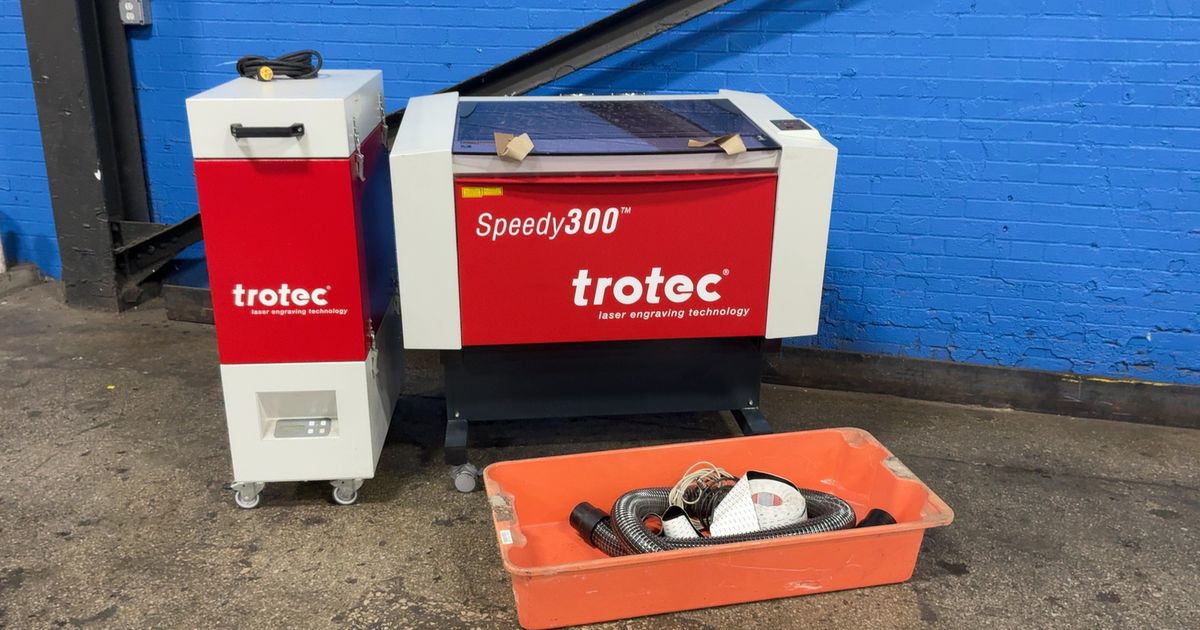
Engravers for Sale: How to Choose the Right Machine
Finding the right engraver starts with understanding what you want to make. Whether you’re personalizing gifts, producing signs, marking parts, or expanding a small business, the best machine for you will depend on the materials you work with, the size of your projects, and how often you plan to use it.
As you compare engravers for sale, look beyond the price tag. Consider the machine’s capabilities, compatible materials, work area, software, safety features, and the support available after purchase. A little research can help you choose an engraver that suits your needs today and leaves room to grow.
Types of Engravers
Engraving machines use different methods to mark or cut materials. Understanding the main types can help narrow your search.
- Laser engravers: Use a focused laser to mark or, depending on the machine and material, cut a surface. They’re used for projects involving materials such as wood, acrylic, leather, glass, and coated metals. Compatibility varies by machine.
- Rotary engravers: Use a cutting tool that physically removes material. They can be suitable for engraving signs, plates, and certain metal or plastic items.
- CNC engravers: Use computer-controlled tools to carve or mark designs. Some models can handle a wider range of milling and cutting tasks in addition to engraving.
Each type has different operating requirements and material limitations. Check the manufacturer’s specifications before purchasing, especially if you plan to work with a particular material.
What to Consider Before You Buy
Materials and applications
Make a list of the materials you expect to engrave. Not every machine works with every material, and the results can vary depending on the machine, settings, and material finish. If your projects involve several material types, look for a model that is designed to handle those specific applications.
Work area and project size
The engraving area determines the maximum size of a piece you can work on at one time. Measure your typical projects and allow some room for future needs. If you plan to engrave cylindrical objects, check whether the machine supports a rotary attachment and whether that accessory is included or sold separately.
Power, speed, and detail
Machine specifications can help you compare performance, but they don’t tell the whole story. The material, design, settings, and preparation all affect the finished result. Review sample projects and product documentation to see whether a machine is suited to the detail and production pace you need.
Software and connectivity
Check which design and control software the engraver supports. Consider whether it works with your computer and file formats, and whether the workflow seems practical for your experience level. Clear setup instructions and accessible learning resources can make it easier to get started.
Safety features
Engraving equipment should be used according to the manufacturer’s safety instructions. For laser systems, look for clear information about the machine’s enclosure, protective measures, ventilation requirements, and approved materials. Never engrave unknown materials, and do not operate equipment in a way that bypasses its safety features.
Support, warranty, and replacement parts
Before buying, review the warranty terms and find out how to access technical support, maintenance guidance, and replacement parts. These details matter if the engraver will be used regularly or for business production.
New or Used Engravers?
A new engraver may come with current documentation, a manufacturer’s warranty, and access to support. A used machine may cost less, but its condition, maintenance history, included accessories, and software compatibility can be difficult to verify. If you’re considering a used unit, ask for a demonstration, inspect the machine, and confirm that essential parts and safety components are present.
Choosing an Engraver for a Business
For business use, think about more than the machine’s purchase price. Consider setup time, material costs, maintenance, training, workflow, and how many orders you expect to complete. A machine that fits your production needs can help you work more consistently, while an undersized or unsuitable model may limit the jobs you can accept.
It can also be useful to start with a clear list of products you intend to make. For example, a machine for personalized gifts may have different requirements from one used for signs or industrial part marking. Match the equipment to your intended work rather than choosing based on a single specification.
Compare Engravers with Your Projects in Mind
When browsing engravers for sale, compare the full package: machine capabilities, compatible materials, usable work area, software, safety requirements, included accessories, and after-sales support. Ask questions if product details are unclear, and confirm that the machine is appropriate for the materials and applications you have in mind.
The right engraver is one that fits your projects, workspace, experience, and budget. With careful research, you can choose a machine that helps bring your designs to life—whether you’re engraving for fun, creating custom products, or building a growing business.
5 Essential Tips for Choosing the Right Engraver for Sale
- Compare engraving area and material compatibility.
- Check whether the engraver includes software and accessories.
- Choose a power level suited to your projects.
- Read reviews for accuracy, reliability, and support.
- Compare total cost, including shipping and replacement parts.
Compare engraving area and material compatibility.
When comparing engravers for sale, check that the machine’s engraving area can accommodate your typical projects, with enough room for larger pieces you may want to make later. Also confirm which materials the engraver can process and whether it can handle the finishes or shapes you plan to use. Material compatibility varies by machine, so review the manufacturer’s specifications before buying.
Check whether the engraver includes software and accessories.
When comparing engravers for sale, check whether the machine comes with the software and accessories you’ll need to get started. Design or control software, cables, lenses, rotary attachments, clamps, and ventilation components may be included, optional, or sold separately. Confirm that the software works with your computer and preferred file types, and compare the included items with your planned projects. Knowing what’s in the box can help you estimate the true cost and avoid surprises after purchase.
Choose a power level suited to your projects.
Choose an engraver with a power level suited to the materials and projects you plan to work on. Lower-power machines may be a good fit for light engraving and fine details, while higher-power models can handle deeper engraving or faster work on compatible materials. More power isn’t always better: the right choice depends on your intended use, material compatibility, desired finish, and budget. Check the manufacturer’s specifications before buying, since performance varies by machine.
Read reviews for accuracy, reliability, and support.
Before buying an engraver, read customer reviews to learn how accurately it marks or cuts, whether it performs reliably over time, and how helpful the seller is when questions or problems arise. Look for detailed feedback from people who use the machine for projects like yours, and compare recurring comments rather than relying on a single review. Reviews can reveal practical strengths and drawbacks that product descriptions may not mention, helping you make a more informed choice.
Compare total cost, including shipping and replacement parts.
When comparing engravers for sale, look beyond the listed price and calculate the total cost of ownership. Include shipping, taxes, setup expenses, essential accessories, and the cost and availability of replacement parts such as lenses, bits, belts, or filters. A machine with a lower upfront price may cost more over time if parts are expensive or difficult to find, so check these details before you buy.
No Responses