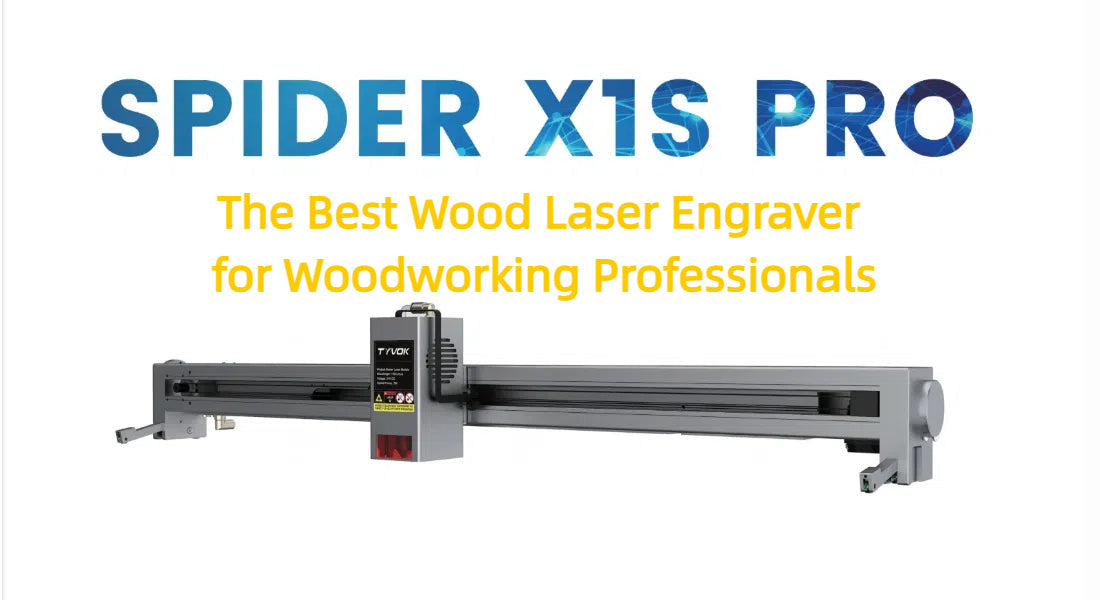
Best Laser Engraver for Wood and Metal: How to Choose the Right Machine
The best laser engraver for wood and metal depends on what you mean by “engrave.” Wood is straightforward for many laser types, but bare metal requires a more specialized source for reliable, lasting results. Before choosing a machine, consider the materials you’ll work with, the depth and finish you want, and whether one machine or a two-laser setup makes more sense.
Quick answer
For frequent work on both wood and bare metal, a dual-source system or two dedicated machines is usually the most versatile option. Use a diode or CO2 laser for wood, and a fiber laser for direct engraving on bare metals. If you only need to mark metal rather than cut or deeply engrave it, a diode or CO2 laser may work with a compatible marking compound or coated metal.
Which laser types work best?
Diode lasers: A practical choice for wood
Diode lasers are popular with hobbyists and small businesses because they are relatively affordable and can engrave many common woods. They can also cut thin wood, depending on the laser’s power, material, and number of passes. On bare metal, however, most diode lasers cannot create a deep, durable engraving. Some can mark certain metals with a suitable coating or marking spray, while specialized infrared diode modules can mark some metals with varying results.
CO2 lasers: Strong performance on wood and other nonmetals
CO2 lasers are well suited to wood, acrylic, leather, paper, and other nonmetal materials. They are a good choice for larger wood projects or production work. A CO2 laser generally will not engrave bare metal directly, but it can mark coated or anodized metals and may produce a mark on bare metal when used with a compatible marking compound.
Fiber lasers: The best option for bare metal
Fiber lasers are designed for processing metals such as stainless steel, aluminum, brass, and titanium. Depending on the machine and settings, they can create surface marks or deeper engravings. They are not a good all-purpose choice for wood: the wavelength and power that make them effective on metal are poorly suited to ordinary wood engraving and can create a fire risk.
Best setup by use case
- Mostly wood, occasional coated-metal marking: Consider a diode or CO2 laser. Check which metal coatings and marking compounds the manufacturer supports.
- Wood plus frequent engraving on bare metal: Choose a system with separate laser sources suited to each material, or use a wood-focused machine alongside a fiber laser.
- Mostly metal, with only occasional wood projects: A fiber laser is a strong choice for metal, but a separate diode or CO2 machine is better for wood.
- Small workspace or beginner use: Look for an enclosed machine with clear material guidance, reliable safety interlocks, and accessible ventilation. Be realistic about the limits of compact combination systems.
What to look for when buying
Laser source and real capabilities
Confirm the laser type—not just the advertised wattage—and check whether the machine can engrave the exact materials you plan to use. “Metal compatible” can mean anything from marking painted metal to engraving bare stainless steel. Ask what results are possible without sprays, coatings, or extra processing.
Work area and material size
Choose a bed large enough for your typical projects, while accounting for space around the machine for ventilation and maintenance. If you plan to engrave cylindrical items, look for a compatible rotary attachment and verify that the machine supports it.
Focus, positioning, and software
Reliable focusing and accurate positioning help produce consistent results. Look for clear setup instructions, software that fits your workflow, and support for common design file formats. A preview or framing feature can also help place artwork before a job begins.
Ventilation and safety
Laser engraving can produce smoke, fumes, and particles. Use appropriate exhaust or filtration, follow the manufacturer’s instructions, and never leave a laser running unattended. An enclosure and interlocks add protection, but they do not replace safe operating practices. Never engrave unknown plastics; some materials can release hazardous fumes.
Is a dual-laser engraver worth it?
A dual-laser machine can save space and make it easier to switch between wood and metal projects. It can be a convenient option for a workshop with varied, lighter-duty work. However, dual-source does not always mean that each source performs as well as a dedicated machine. Compare the wood results, metal depth, work area, serviceability, and total cost with those of two separate lasers before buying.
Final recommendation
For the best results on both wood and bare metal, prioritize the right laser source for each material: a diode or CO2 laser for wood and a fiber laser for metal. A dual-source system can suit users who value convenience, while separate machines are often the better choice for demanding or frequent work. If your metal projects only require surface marking, a wood-capable laser with a compatible marking method may be enough.
Top FAQs About Choosing the Best Laser Engraver for Wood and Metal
- What’s the best laser engraver for beginners?
- What should you not laser engrave?
- Can I use a metal engraver on wood?
- What is the kerf of a laser cutter?
- How much is a laser engraving machine for wood?
- How much does a decent laser engraver cost?
What’s the best laser engraver for beginners?
For beginners, the best laser engraver is an enclosed, easy-to-use diode or CO₂ machine with clear setup instructions, reliable safety features, and a work area that fits your projects. Both can engrave wood, but neither is typically suited to deep engraving on bare metal; marking coated metal may be possible with the right setup. If you plan to engrave bare metal regularly, consider a fiber laser or a dual-source system, though these may cost more and require additional learning. Check the manufacturer’s material guidance, ventilation requirements, software compatibility, and customer support before choosing.
What should you not laser engrave?
Never laser engrave unknown materials or items that may release hazardous fumes, catch fire easily, or contain reflective or coated surfaces the machine isn’t designed to process. Avoid PVC and vinyl, which can release highly corrosive, toxic gases, as well as materials such as PTFE (Teflon), chlorinated plastics, and treated or painted materials unless the manufacturer confirms they’re safe for your specific laser and you have suitable ventilation. Don’t engrave metals with a wood-focused laser unless it’s rated for the task, and never leave a machine running unattended. When in doubt, check the material’s composition and your engraver’s safety guidance before starting.
Can I use a metal engraver on wood?
A metal engraver can mark some wood, but the results depend on the laser type. Fiber lasers, which are commonly used for metal, generally aren’t suitable for engraving wood and can create a fire hazard. If you want to work with both materials, choose a machine designed for wood—such as a diode or CO₂ laser—and use a fiber laser for direct engraving on bare metal. Always check the manufacturer’s material guidelines and follow proper ventilation and fire-safety precautions.
What is the kerf of a laser cutter?
The kerf of a laser cutter is the width of material removed as the laser cuts. It varies based on the laser type, focus, power, speed, and material, so wood and metal may produce different kerfs even on the same machine. Kerf is important when cutting parts that must fit together: test your material and settings first, then account for the measured kerf in your design. For engraving, kerf is less relevant because the laser marks the surface rather than cutting through it.
How much is a laser engraving machine for wood?
A laser engraving machine for wood can cost anywhere from about $200 for a basic diode model to several thousand dollars for a larger, more powerful CO₂ system. Price depends on factors such as laser type and power, work area, enclosure, software, and ventilation. For occasional hobby projects, an entry-level diode engraver may be enough; for faster engraving, larger pieces, or regular production, a higher-powered diode or CO₂ machine may be a better fit. Keep in mind that engraving bare metal usually requires a fiber laser, which can add substantially to the cost.
How much does a decent laser engraver cost?
A decent laser engraver can cost anywhere from a few hundred dollars to several thousand, depending on its laser type, work area, and capabilities. Entry-level diode machines for wood typically range from about $300 to $1,000, while CO₂ models suited to larger or more frequent wood projects often cost $1,500 to $5,000 or more. For direct engraving on bare metal, a fiber laser commonly starts around $2,000 and can exceed $8,000. Since wood and bare metal usually require different laser sources, a machine advertised for both may involve a higher price; also budget for ventilation, safety equipment, and useful accessories.
No Responses