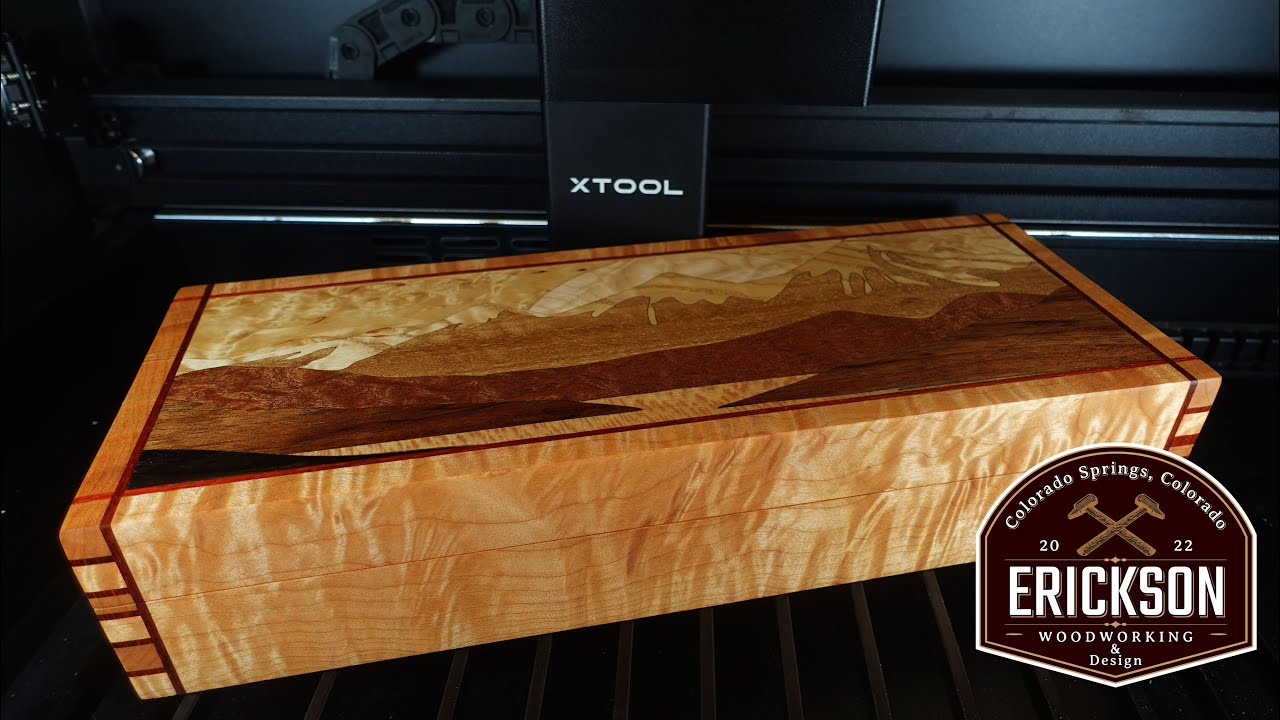
xTool Wood Projects: A Guide to Laser Cutting and Engraving
Wood is one of the most popular materials for laser crafting, and xTool machines make it possible to turn it into personalized signs, ornaments, gifts, home décor, and more. Whether you are new to laser crafting or looking to expand your workshop, understanding how different woods respond to a laser can help you get cleaner cuts and more detailed engravings.
Why Use Wood with an xTool Laser?
Wood is versatile, widely available, and suitable for both cutting and engraving. An xTool laser can create fine surface details, text, patterns, and shapes without requiring traditional cutting tools. The results depend on the machine, laser module, wood type, material thickness, and selected settings.
Common wood projects include:
- Personalized signs and nameplates
- Coasters, ornaments, and keychains
- Layered wall art and decorative panels
- Boxes, organizers, and small crafts
- Custom gifts and branded products
Choosing Wood for Laser Projects
Different woods produce different results. For a first project, many makers choose laser-compatible plywood or basswood because these materials are generally easy to work with and available in thin sheets. Other options include birch plywood, maple, cherry, and alder. Solid woods can have attractive grain, but their natural variations may lead to uneven engraving or cutting.
Before using any material, check that it is suitable for laser processing. Avoid wood products with unknown coatings, adhesives, or chemical treatments. Some manufactured boards contain glues that can produce hazardous fumes or damage equipment. When in doubt, consult the material supplier and your xTool machine’s documentation.
Cutting vs. Engraving
Laser cutting passes through the material to create a shape or opening. Engraving removes or darkens the surface to produce an image, text, or pattern. Some projects combine both techniques—for example, engraving details onto a sign before cutting its outer shape.
Cutting thicker wood typically requires more time or multiple passes than cutting thin sheet material. Engraving results are affected by the wood’s grain, color, surface finish, and moisture. A test on a scrap piece can help you judge the appearance before starting the final project.
Getting Better Results
- Use the correct material settings: Start with guidance for your specific xTool model and material, then test and adjust as needed.
- Secure the wood: A flat, stable sheet helps maintain consistent focus and results.
- Check focus and alignment: Follow your machine’s instructions before each job, especially when changing material thickness.
- Test the grain: Natural grain can affect how evenly a design engraves. Try a small sample if the appearance matters.
- Keep the surface clean: Dust and residue can affect engraving quality. Use appropriate cleaning methods for the material.
- Consider masking: Masking material may help reduce smoke marks on some projects, but it should be suitable for laser use.
Laser Safety and Ventilation
Laser processing wood creates smoke and airborne particles. Use the machine’s recommended ventilation or filtration system, and operate it in a well-ventilated area. Never leave a laser running unattended, keep flammable materials away from the work area, and follow all safety instructions for your specific machine. Use the protective enclosure and eyewear specified by the manufacturer, and do not process materials that are unidentified or unsuitable for laser use.
Make Your Next Wood Project
From simple engraved coasters to detailed layered artwork, xTool laser machines offer makers a flexible way to work with wood. Choosing an appropriate material, testing settings, and following safety guidance can make the process more predictable and help your finished projects look their best. Start with a small design, learn how your chosen wood responds, and build from there.
xTool Wood FAQs: Compatible Materials, Settings, Cutting Thickness, Engraving Quality, and Safety
- What types of wood can I use with an xTool laser?
- What xTool settings should I use to cut or engrave wood?
- How thick of wood can an xTool laser cut?
- Why are my xTool wood engravings uneven or too dark?
- Is it safe to laser cut plywood or other engineered wood with an xTool?
What types of wood can I use with an xTool laser?
You can use many laser-compatible woods with an xTool laser, including basswood, birch plywood, maple, cherry, and alder. Thin, consistent sheets such as basswood or laser-grade plywood are popular for beginners because they’re often easier to cut and engrave evenly. Results vary with wood species, grain, thickness, and any coatings or adhesives, so test a small offcut and check the material is safe for laser processing. Avoid treated, painted, or unidentified wood unless the manufacturer confirms it’s suitable, and always follow your xTool model’s material and safety guidance.
What xTool settings should I use to cut or engrave wood?
The right xTool settings for cutting or engraving wood depend on your machine, laser module, wood type, thickness, and desired result, so there isn’t one setting that works for every project. Start with the recommended settings for your xTool model and material, then test on a scrap piece and adjust power, speed, and the number of passes as needed. Cutting usually requires more energy than engraving, while lighter, faster passes can create surface details. Keep the wood flat and properly focused, and follow your machine’s safety and ventilation instructions.
How thick of wood can an xTool laser cut?
The maximum wood thickness an xTool laser can cut depends on the machine’s laser power, the type of wood, and the material’s density and construction. Many models are best suited to thin sheets, while more powerful machines can cut thicker stock; plywood may also behave differently from solid wood because of its glue layers. Check the material guidance for your specific xTool model and test a scrap piece before starting your project. Multiple passes may help, but they can produce more charring and won’t guarantee a clean cut through thicker wood.
Why are my xTool wood engravings uneven or too dark?
Uneven or overly dark xTool wood engravings are often caused by inconsistent wood grain, an uneven or warped surface, incorrect focus, or settings that apply too much laser power or dwell time. Check that the material is flat and properly focused, then reduce the power or speed-adjust according to your machine and wood type. Because plywood, solid wood, and different species can engrave differently, test your settings on a scrap piece first; cleaning the surface and using suitable ventilation can also help produce more consistent results.
Is it safe to laser cut plywood or other engineered wood with an xTool?
Yes, plywood and some other engineered woods can be laser cut with an xTool, but only when the material is specifically suitable for laser processing. Adhesives, coatings, and treatments vary, so check the product information and your xTool’s manual; avoid materials with unknown composition or coatings, and never laser-cut PVC or vinyl. Use proper exhaust ventilation or filtration, follow the machine’s safety instructions, and monitor every job—wood can ignite during cutting.
No Responses