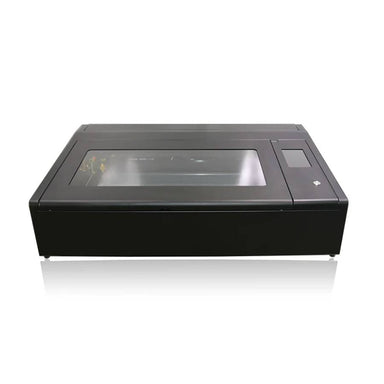
Best Desktop Laser Engraver: How to Choose the Right Machine
The best desktop laser engraver is the one that fits your materials, workspace, budget, and experience level. A compact diode laser can be a practical choice for wood crafts and light-duty projects, while a CO₂ machine is often better for cutting and engraving wood and acrylic. For marking metal, a fiber laser is usually the right tool.
Before comparing brands or features, decide what you want to make. The material you plan to work with matters more than a long list of advertised features.
Quick guide: Which type is best for you?
- Best for beginners and crafts: An enclosed diode engraver with clear software, safety interlocks, and good customer support.
- Best for wood and acrylic projects: A desktop CO₂ laser, especially if cutting is as important as engraving.
- Best for metal marking: A fiber laser designed for the metals and marking tasks you have in mind.
- Best for limited space: A compact machine with an enclosed work area and a practical exhaust connection.
Diode, CO₂, or fiber?
Diode laser engravers
Diode machines are popular for home workshops because they’re available in compact formats and can engrave materials such as wood, leather, paper, and some coated or painted surfaces. Their ability to cut depends on the machine and material. Standard diode lasers generally cannot engrave clear acrylic effectively, and they are not the best choice for direct marking of bare metal.
CO₂ laser engravers
CO₂ lasers are a versatile option for working with wood, acrylic, leather, paper, and other compatible nonmetal materials. They can be especially useful when a project involves cutting thicker stock or engraving clear acrylic. These machines often need more room and a dependable ventilation setup than a small diode engraver.
Fiber laser engravers
Fiber lasers are designed primarily for marking and engraving metal. They can be a strong fit for makers producing metal tags, tools, or personalized products, but they’re usually less suitable as an all-purpose machine for wood and acrylic projects.
What to look for in the best desktop laser engraver
A work area that fits your projects
Check the usable work area—not just the machine’s outside dimensions. Make sure it can accommodate your usual material sizes, including any rotary attachment you may need for cylindrical items. A larger work area can be helpful, but it also takes up more room and may require more ventilation capacity.
Enclosure and safety features
For a home or shared workspace, an enclosed machine with a lid interlock can help reduce exposure to laser light. Look for clearly documented safety features and follow the manufacturer’s instructions. An enclosure does not eliminate the need for supervision, fire precautions, or proper exhaust.
Fume extraction
Laser engraving and cutting can produce smoke and potentially hazardous fumes. Choose a machine that can connect to an appropriate exhaust system or compatible filtration unit. Vent fumes outdoors where permitted, and make sure the setup is suitable for the materials being processed.
Software and workflow
Good software can make a machine much easier to use. Consider whether the engraver works with your preferred design tools, supports common file formats, and offers clear controls for speed and power. Beginners may value guided workflows, while experienced users may prefer more control over settings.
Support, replacement parts, and upgrades
A laser engraver is a tool you may use for years, so check the availability of replacement components, documentation, and technical support. Also consider whether useful additions—such as a rotary attachment, air assist, or upgraded exhaust—are available and compatible.
Choosing an engraver by project
- Wood signs, ornaments, and gifts: Compare diode and CO₂ models based on your required cutting depth, project volume, and budget.
- Clear acrylic products: Look closely at CO₂ options, since standard diode machines generally aren’t suitable for engraving clear acrylic directly.
- Metal business cards or tool marking: Consider a fiber laser, and confirm that it supports your specific material and finish.
- Personalized tumblers: Check whether the machine supports a compatible rotary attachment and whether its laser type is suitable for the tumbler’s surface.
Important laser safety and material warnings
Never leave an operating laser unattended. Keep a suitable fire extinguisher nearby, maintain a clean work area, and follow the machine’s safety guidance. Do not process unknown materials. Avoid PVC and vinyl, which can release dangerous corrosive gases when heated. A material that appears safe to engrave may still produce harmful fumes, so verify it before use.
So, what is the best desktop laser engraver?
For many first-time buyers, the best desktop laser engraver is an enclosed diode model with dependable software, effective exhaust options, and enough work area for everyday projects. If cutting acrylic or thicker wood is a priority, a desktop CO₂ machine may be a better match. If your work is mainly metal marking, choose a fiber laser rather than expecting a general-purpose engraver to do everything.
Compare machines by the materials they can safely process, their usable work area, safety and ventilation setup, software, and long-term support. Matching those details to your actual projects is the best way to choose a desktop laser engraver you’ll keep using.
5 Tips for Choosing the Best Desktop Laser Engraver
- Choose a laser type suited to your materials
- Check the work area fits your typical projects.
- Prioritize enclosed designs, interlocks, and reliable exhaust ventilation.
- Compare software ease, material settings, and support.
- Read recent reviews and verify replacement parts are available.
Choose a laser type suited to your materials
Choose a laser type based on the materials you plan to engrave or cut. Diode lasers work well for many wood, leather, and coated-surface projects, while CO₂ lasers are better suited to materials such as acrylic and can offer more cutting capability. For marking metal, a fiber laser is often the right choice. Matching the laser to your materials helps you get better results and avoid buying a machine that can’t handle your projects.
Check the work area fits your typical projects.
Check that the engraver’s usable work area fits the projects you make most often. Measure your typical materials and consider whether you’ll need room for larger pieces or accessories, such as a rotary attachment. A machine with a work area that’s too small can limit what you create, while a larger model may take up more space than your workspace allows.
Prioritize enclosed designs, interlocks, and reliable exhaust ventilation.
When choosing the best desktop laser engraver, prioritize an enclosed design, safety interlocks, and reliable exhaust ventilation. An enclosure helps limit exposure to laser light, while interlocks are designed to stop operation when the cover is opened. Effective ventilation helps remove smoke and fumes from the work area, but it does not replace safe material handling or proper supervision. Always follow the manufacturer’s instructions, verify that materials are suitable for laser processing, and never leave the machine running unattended.
Compare software ease, material settings, and support.
When choosing the best desktop laser engraver, compare how easy the software is to learn, whether it offers reliable settings for the materials you plan to use, and how accessible customer support is. Intuitive software can make setup and everyday jobs smoother, helpful material presets can reduce trial and error, and responsive support can save time when you need troubleshooting, replacement parts, or guidance.
Read recent reviews and verify replacement parts are available.
Before choosing a desktop laser engraver, read recent reviews from people who use it for projects similar to yours. Look for comments about engraving quality, software, reliability, customer support, and any issues that appeared after extended use. Also verify that essential replacement parts—such as lenses, laser modules, belts, and exhaust components—are readily available. A machine that’s easy to maintain can save you time and help keep your projects on track.
No Responses