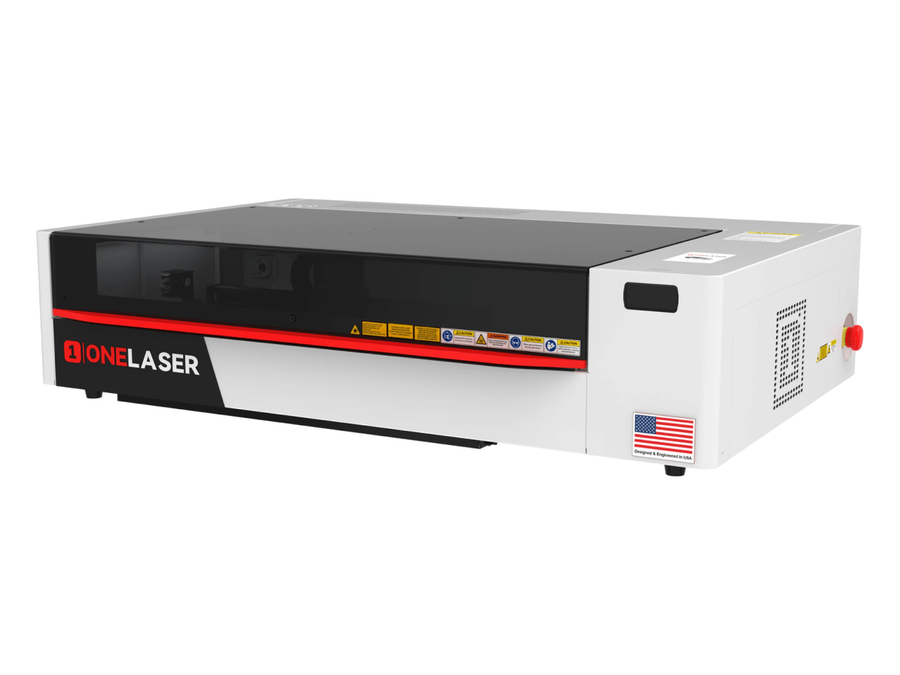
Desktop Laser Cutter for Metal: What to Know Before You Buy
A desktop laser cutter for metal can bring precise, repeatable fabrication into a small workshop, studio, or production space. But “desktop” describes a machine’s size—not what it can cut. Some compact laser systems are designed to mark or engrave metal, while others can cut thin sheet metal. Knowing the difference is essential when comparing machines.
Can a Desktop Laser Cutter Cut Metal?
Yes, some compact machines can cut metal, but their capabilities depend on the laser source, output power, material, thickness, and cutting setup. Many desktop fiber lasers are intended for marking or engraving rather than cutting through metal. A machine that can mark a metal surface is not automatically capable of cutting it.
For cutting, look for a system specifically rated for metal-cutting applications. Check the manufacturer’s published cutting charts, including the supported metals, maximum material thickness, cutting speed, and required assist gas. Treat these figures as starting points: actual results can vary with material grade, surface condition, and machine setup.
Laser Types and Their Uses
Fiber lasers
Fiber lasers are commonly used for metal marking and industrial metal processing. Compact fiber systems may mark or engrave metal, while cutting requires a machine designed and configured for that purpose. Cutting performance depends on the laser’s power and the rest of the system, not just the word “fiber.”
CO₂ lasers
Standard CO₂ lasers are widely used to cut materials such as wood, acrylic, and some fabrics. They are generally not the right choice for directly cutting bare metal. Reflective metals can also pose risks to equipment that is not designed to process them. Always follow the machine manufacturer’s material-compatibility guidance.
What Materials Can It Cut?
Depending on the machine, metal-cutting systems may be suitable for materials such as stainless steel, mild steel, or aluminum. The supported materials and thicknesses differ by model. Reflectivity, heat conductivity, coatings, and surface condition can all affect cutting performance.
Before processing a material, confirm that it is approved for your machine. Do not cut unknown alloys or coated metals without understanding their composition and the hazards of their fumes. Never laser-cut PVC or vinyl; heating these materials can release highly hazardous gases.
Important Features to Compare
- Cutting specifications: Review the manufacturer’s material and thickness charts rather than relying on a general power claim.
- Work area: Make sure the bed accommodates your typical sheet size, with room for safe loading and positioning.
- Assist gas: Some metal-cutting processes use compressed air, nitrogen, or oxygen. The appropriate gas depends on the material and desired edge quality.
- Enclosure and interlocks: Look for a properly designed enclosure, safety interlocks, and clear operating instructions.
- Fume management: Cutting metal may produce smoke, particles, and gases. Use an appropriate exhaust or filtration setup as specified by the manufacturer.
- Software and support: Check file compatibility, control software, maintenance requirements, training, and access to replacement parts.
Safety Comes First
Metal-cutting lasers can cause serious eye, skin, fire, and respiratory hazards. Use the system only as intended and follow its safety documentation. Do not bypass interlocks or operate an open-beam system without the safeguards and training required for that equipment. Proper enclosure, ventilation, fire precautions, and laser-rated protection are essential; ordinary safety glasses are not a substitute for equipment specified for the laser.
Keep the work area clear of flammable materials, stay with the machine during operation, and know how to stop the laser in an emergency. Exhaust fumes safely, and use only materials whose composition is known and approved for the process.
Common Applications
A suitable desktop metal laser cutter may be used to make prototypes, brackets, enclosures, signs, decorative panels, small production parts, and custom components. Compact equipment can be useful for short runs and design testing, but it may not match the speed, capacity, or automation of an industrial cutting system.
How to Choose the Right Machine
Start with the metal type and thickness you need to process most often. Then compare machines using verified cutting data for those exact materials. Consider the full operating setup—including assist gas, ventilation, power requirements, software, and maintenance—not just the purchase price or advertised laser wattage.
If your primary goal is to add logos, serial numbers, or decorative details to metal, a marking or engraving system may be a better fit than a cutter. If you need parts cut from sheet metal, choose a machine explicitly designed and rated for that job.
Frequently Asked Questions
Can a desktop fiber laser cut stainless steel?
Some compact systems can cut certain thicknesses of stainless steel, but many fiber machines are designed only for marking or engraving. Confirm the cutting capability and recommended settings with the manufacturer.
Is metal engraving the same as metal cutting?
No. Marking or engraving changes the surface or removes a small amount of material. Cutting passes through the material. The required machine capabilities are different.
Is a desktop metal laser cutter suitable for a home workshop?
It may be, if the machine can be installed and operated safely in the available space. Consider enclosure requirements, ventilation, electrical needs, noise, assist-gas storage, and local safety rules before purchasing.
Conclusion
A desktop laser cutter can be a practical way to produce precise metal parts in a compact workspace—but only if it is built for cutting the materials and thicknesses you need. Verify cutting specifications, plan for ventilation and safety, and distinguish cutting equipment from machines intended only for metal marking or engraving.
Essential Safety Tips for Using a Desktop Laser Cutter for Metal
- Confirm the laser can cut your specific metal and thickness.
- Use only manufacturer-approved materials and settings.
- Keep the enclosure closed and interlocks enabled.
- Wear wavelength-rated eye protection when required.
- Use proper fume extraction and filtration.
- Never leave a cutting job unattended.
- Keep a suitable fire extinguisher nearby.
Confirm the laser can cut your specific metal and thickness.
Before buying or using a desktop laser cutter, confirm that it’s rated to cut the specific metal and thickness you plan to process. Cutting performance varies by laser type, power, material grade, and machine setup, so don’t assume a machine that marks or engraves metal can cut through it. Check the manufacturer’s cutting charts and recommendations for each material, and test settings on scrap when appropriate.
Use only manufacturer-approved materials and settings.
Use only materials and settings approved by the laser cutter’s manufacturer. Different metals, coatings, and thicknesses can react differently to laser energy, and unapproved materials or settings may damage the machine, produce hazardous fumes, or create a fire or safety risk. Check the machine’s material compatibility guide before each job, and follow its recommended power, speed, assist-gas, and ventilation instructions.
Keep the enclosure closed and interlocks enabled.
Keep the laser cutter’s enclosure closed during operation and leave all safety interlocks enabled. The enclosure helps contain laser radiation, sparks, and debris, while interlocks are designed to stop the laser if a door or panel is opened. Never bypass or disable these safeguards; follow the manufacturer’s operating instructions and stop the machine before opening it.
Wear wavelength-rated eye protection when required.
Wear wavelength-rated eye protection whenever the laser manufacturer’s instructions or your safety setup requires it. Laser eyewear must be rated for the specific wavelength and optical density of the machine; ordinary safety glasses or eyewear intended for a different laser may not provide adequate protection. Use the cutter’s enclosure and interlocks as directed, and never look directly at the beam or its reflections.
Use proper fume extraction and filtration.
Use proper fume extraction and filtration whenever you cut metal with a desktop laser cutter. The process can release smoke, fine particles, and potentially hazardous gases, especially when working with coated or treated materials. Follow the machine manufacturer’s guidance for ventilation, use a suitable exhaust or filtration system, and make sure fumes are safely removed from the workspace. Never cut materials with unknown coatings or composition, and remember that filtration does not make unsafe materials safe to process.
Never leave a cutting job unattended.
Never leave a desktop metal laser cutter running unattended. Stay nearby and monitor the job so you can respond quickly if material shifts, sparks appear, smoke builds up, or a fire starts. Before cutting, follow the manufacturer’s safety instructions, keep the work area clear of flammable materials, and make sure the emergency stop is accessible.
Keep a suitable fire extinguisher nearby.
Keep a suitable fire extinguisher nearby whenever you operate a desktop laser cutter for metal. Sparks, hot material, or nearby combustible debris can start a fire, so choose an extinguisher rated for the hazards in your workspace and follow its instructions. Keep it accessible, make sure everyone knows where it is and how to use it, and never leave the laser running unattended.
No Responses