Best Small Laser Engraver: How to Choose the Right Desktop Machine
A small laser engraver can turn a compact workbench into a creative studio. These machines can personalize gifts, mark tools, engrave designs on wood and leather, and—in some cases—cut thin materials. The best choice depends on what you plan to make, which materials you want to use, and how much space you have.
What Makes a Small Laser Engraver “Best”?
The best small laser engraver isn’t necessarily the most powerful or the least expensive. It’s the machine that fits your projects and workspace while delivering consistent results. Consider these factors before you buy:
- Laser type: Diode, CO₂, and infrared lasers work with different materials and suit different jobs.
- Work area: Check the usable engraving dimensions against the items you want to personalize.
- Engraving speed and detail: A machine’s real-world performance depends on its optics, motion system, software, and material—not just its advertised power.
- Ease of use: Helpful features include clear setup instructions, reliable design software, autofocus, and material presets.
- Safety and ventilation: Enclosures, interlocks, suitable eye protection, and smoke extraction make a major difference in a home or workshop.
- Support and replacement parts: Good documentation and accessible service can save time if you need help.
Choosing a Laser Type
Diode Lasers
Diode engravers are a popular choice for hobbyists because many are compact and relatively affordable. They can engrave materials such as wood, paper, and some leathers. With the right setup, certain diode machines can also cut thin materials. Performance varies by machine, so check the manufacturer’s tested material guidance rather than relying on the laser’s power rating alone.
CO₂ Lasers
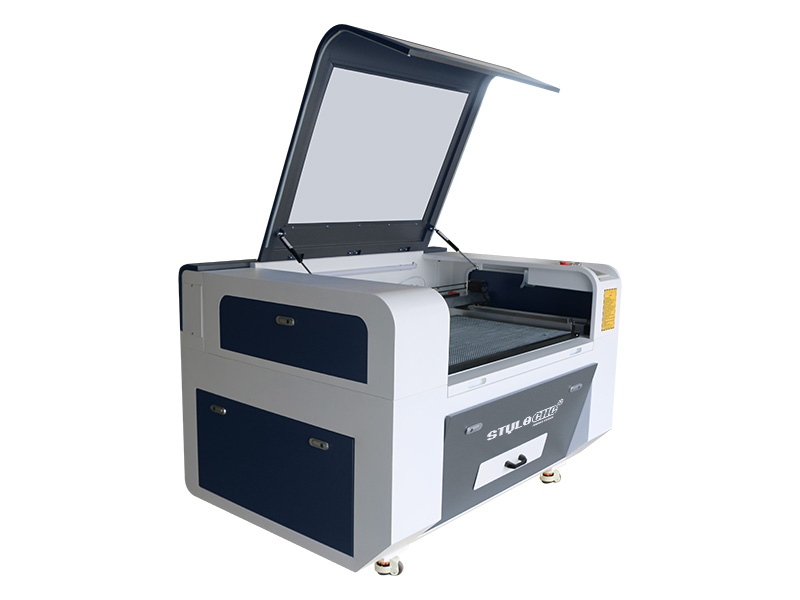
CO₂ machines are often chosen for engraving and cutting wood, acrylic, and other nonmetal materials. They can be a good fit for small businesses and makers who need a larger material range or more cutting capability. A CO₂ unit may take up more space than a compact diode engraver and typically needs careful ventilation.
Infrared and Fiber Lasers
Infrared and fiber systems are designed for marking or engraving certain metals and plastics. They’re worth considering if metal tags, tools, jewelry, or small product parts are central to your work. These machines aren’t universal material solutions, so confirm compatibility before purchasing.
Good Small Laser Engraver Options to Compare
Several compact product lines are commonly considered by hobbyists and small businesses. Features and configurations can vary, so compare the current specifications for the exact package you’re considering.
- xTool F1: A compact option to investigate if portability and the ability to work with different material types are priorities. Review the specific laser configuration and its compatible materials.
- LaserPecker 4: A portable-format engraver that may suit small items and limited workspaces. Check its working area and material capabilities against your intended projects.
- Glowforge Aura: A desktop-style option to consider for guided workflows and craft projects. Confirm its material limits, ventilation requirements, and ongoing software needs.
- Compact diode engravers from brands such as Sculpfun: These can be attractive for budget-conscious makers who are comfortable with setup and tuning. Compare the included safety equipment, assembly requirements, and available support.
No single model is best for everyone. A portable engraver may be ideal for marking small objects, while a desktop machine with a larger work area may be more practical for signs, panels, or repeat production.
Match the Machine to Your Projects
Before comparing models, make a short list of the items you expect to engrave. Include the material, its thickness, and the largest dimensions. Then verify that the machine can handle those materials and sizes.
For example, someone engraving small wooden gifts may value a simple setup and a camera preview. A maker personalizing metal tools should focus on the laser type and confirmed metal-marking capability. A small business producing batches of signs may need a larger work area, dependable positioning, and efficient ventilation more than a highly portable design.
Important Safety Considerations
Laser engravers can cause eye injuries, burns, fires, and exposure to hazardous fumes. Use the machine only as directed by its manufacturer. Keep the work area supervised, use an appropriate enclosure and ventilation system, and make sure any required protective eyewear is rated for the laser wavelength.
Never engrave PVC or unknown plastics: they can release dangerous gases. Research each material before processing it, and don’t assume that a material is safe just because it’s commonly sold for crafts. Keep a suitable fire extinguisher nearby, and never leave an operating laser unattended.
How to Get Better Results from a Small Engraver
- Use test pieces to find suitable speed and power settings before engraving a finished item.
- Keep lenses and other optical components clean according to the manufacturer’s instructions.
- Secure the material so it can’t shift during the job.
- Use a flat, stable surface and check that the machine is properly aligned.
- Allow for ventilation and smoke extraction, even when engraving small objects.
- Save successful settings for materials you use regularly.
Final Verdict
The best small laser engraver is the one that safely handles your materials, fits your workspace, and offers enough working area for your projects. For occasional craft work, a compact diode or desktop engraver may be a practical starting point. For metal marking or more demanding production, look at machines designed specifically for those tasks. Compare the complete setup—including enclosure, ventilation, software, and support—not just the machine’s headline specifications.
Top Benefits of the Best Small Laser Engraver for Hobbyists and Crafters
- Fits easily on a small workbench.
- Engraves detailed designs on suitable materials.
- Great for crafts, gifts, and personalization.
- Often costs less than industrial machines.
- Simple to use for beginner projects.
- Compact models are easy to store.
Considerations Before Choosing the Best Small Laser Engraver
- Small work areas limit project size.
- Some materials require a different laser type.
- Ventilation and safety gear add cost.
- Setup and tuning can take time.
Fits easily on a small workbench.
One of the biggest advantages of a small laser engraver is its compact footprint. It fits easily on a small workbench, making it a practical choice for home studios, craft rooms, and tight workshop spaces. You can keep your engraving setup close at hand without giving up valuable room for other tools or projects.
Engraves detailed designs on suitable materials.
One of the biggest advantages of a small laser engraver is its ability to reproduce detailed designs on compatible materials. It can create crisp text, fine lines, intricate patterns, and personalized artwork on items such as wood, leather, paper, and certain plastics. This precision makes it a useful choice for custom gifts, labels, crafts, and small-batch products. Results depend on the material, machine, and settings, so testing on a sample piece helps achieve the desired finish.
Great for crafts, gifts, and personalization.
A small laser engraver is a great choice for crafts, gifts, and personalization because it can add precise, lasting designs to everyday items. Create custom ornaments, engraved coasters, personalized keychains, or one-of-a-kind keepsakes for friends and family. Its compact size makes it easy to use at home or in a small workshop, while its versatility gives makers plenty of ways to bring creative ideas to life.
Often costs less than industrial machines.
One of the biggest advantages of a small laser engraver is its lower upfront cost compared with industrial machines. For hobbyists, makers, and small businesses, it can provide a practical way to engrave or personalize products without investing in large-scale equipment. The compact size may also help reduce workspace and setup costs, making it easier to get started while still producing useful, professional-looking results.
Simple to use for beginner projects.
A small laser engraver can be a simple way for beginners to get started with creative projects. Many models include intuitive software, ready-made settings, and straightforward controls that make it easier to engrave names, designs, or patterns without advanced technical skills. Start with a small test piece, follow the manufacturer’s instructions, and you can build confidence as you personalize gifts, craft decorations, and explore new ideas.
Compact models are easy to store.
Compact models are easy to store, making a small laser engraver a practical choice for home workshops, craft rooms, or shared workspaces. When it’s not in use, the machine can fit on a shelf, workbench, or inside a cabinet, freeing up valuable room for other projects. This space-saving design lets you enjoy laser engraving without dedicating an entire area to a large machine.
Small work areas limit project size.
One drawback of a small laser engraver is its limited work area, which can restrict the size of projects you can complete in a single pass. Larger signs, wide panels, or bulky objects may not fit on the bed, forcing you to resize the design, engrave the item in sections, or choose a different machine. For makers who plan to work with larger materials, checking the engraver’s usable dimensions before buying can help avoid frustration.
Some materials require a different laser type.
One drawback of small laser engravers is that no single laser type works well on every material. A diode laser may be suitable for engraving wood and leather, while marking metal or working with certain plastics may require an infrared, fiber, or CO₂ laser. Before choosing a machine, check that its laser type is compatible with the materials you plan to use; otherwise, you may need a separate engraver or be unable to complete some projects.
Ventilation and safety gear add cost.
One downside of a small laser engraver is that the purchase price may not cover the full cost of using it safely. Proper ventilation—such as an exhaust system or air filtration unit—and suitable safety gear can add significantly to your budget. These extras are important for managing smoke and fumes and reducing exposure to laser hazards, so factor them in when comparing machines.
Setup and tuning can take time.
Setup and tuning a small laser engraver can take time, especially for first-time users. You may need to assemble the machine, align its components, configure the software, and test different speed and power settings for each material. These steps are important for getting clean, consistent results, but they can make it harder to jump straight into a project.
No Responses