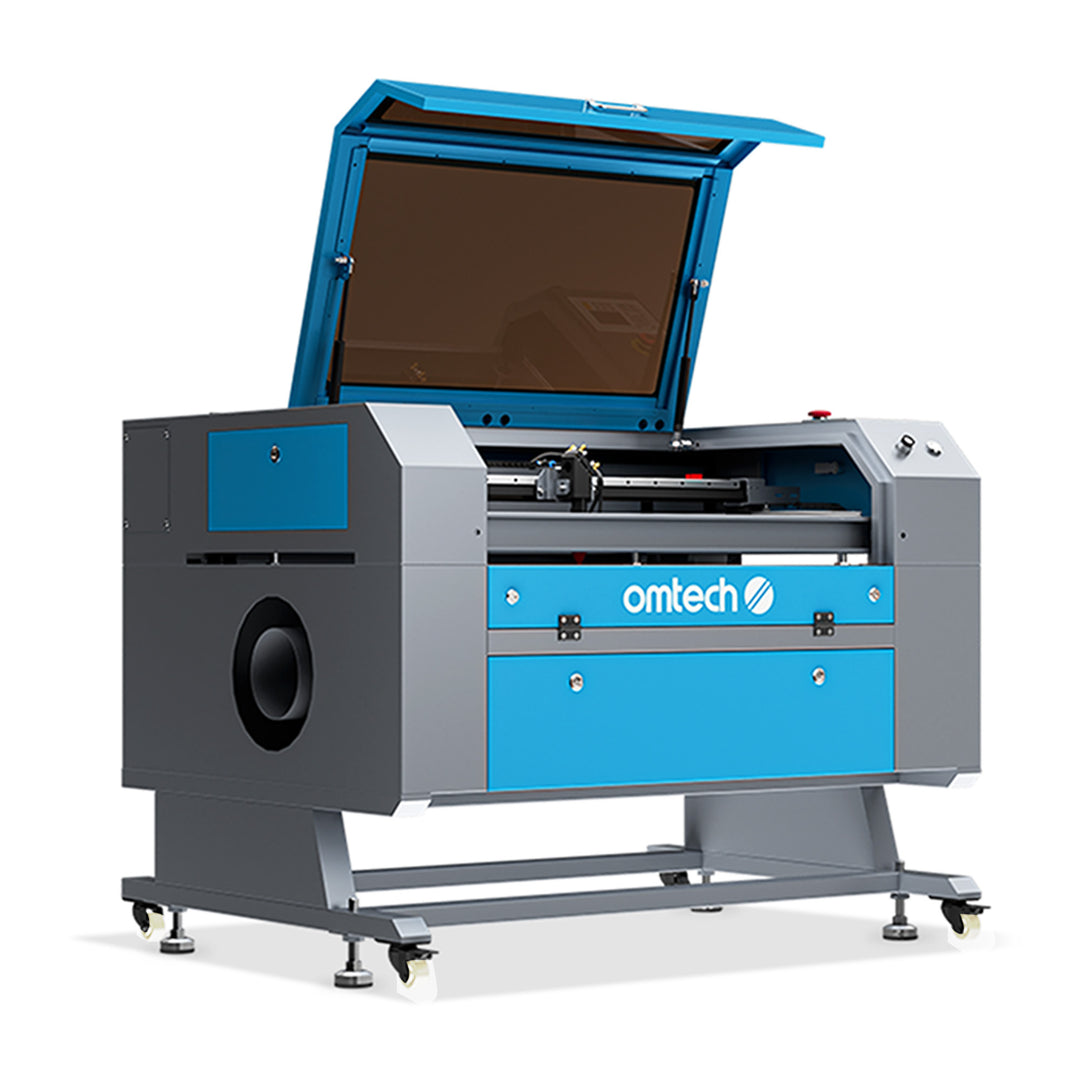
The Power of a 60 Watt Laser Cutter
When it comes to precision cutting and engraving, a 60 watt laser cutter stands out as a powerful tool in the world of manufacturing and design. With its high wattage output, this type of laser cutter offers increased speed and efficiency compared to lower wattage models.
One of the key advantages of a 60 watt laser cutter is its ability to cut through a wide range of materials with ease. From wood and acrylic to leather and fabric, this machine can handle various thicknesses with precision and accuracy. Whether you’re creating intricate designs or cutting through thick materials, the power of a 60 watt laser cutter ensures clean cuts and smooth edges.
Another benefit of a 60 watt laser cutter is its versatility. With the right settings and adjustments, you can achieve different depths of engraving and cutting on various materials. This flexibility allows for creative freedom and customization in your projects, whether you’re working on prototypes, signage, or personalized gifts.
Speed is also a significant factor when considering a 60 watt laser cutter. The higher wattage output means faster processing times, making it ideal for large-scale production or time-sensitive projects. This efficiency not only saves time but also increases productivity, allowing you to meet deadlines and fulfill orders promptly.
In conclusion, the power of a 60 watt laser cutter opens up new possibilities for designers, manufacturers, and hobbyists alike. With its ability to cut through diverse materials, provide versatility in engraving options, and deliver fast processing speeds, this machine is a valuable asset in any workspace where precision and efficiency are paramount.
Everything You Need to Know About 60 Watt Laser Cutters: FAQs and Tips
- What materials can a 60 watt laser cutter cut through?
- How fast is a 60 watt laser cutter compared to lower wattage models?
- Is a 60 watt laser cutter suitable for cutting thick materials?
- Can a 60 watt laser cutter engrave on metal?
- What safety precautions should be taken when using a 60 watt laser cutter?
- How do I maintain and clean a 60 watt laser cutter?
- What software is compatible with a 60 watt laser cutter for designing and cutting?
What materials can a 60 watt laser cutter cut through?
A 60 watt laser cutter is capable of cutting through a wide range of materials with precision and efficiency. Common materials that can be easily cut using a 60 watt laser cutter include wood, acrylic, leather, fabric, paper, cardboard, and certain types of plastics. Additionally, this powerful machine can handle thicker materials compared to lower wattage models, making it suitable for various applications in industries such as manufacturing, design, and crafting. The versatility of a 60 watt laser cutter allows users to explore different creative possibilities and achieve clean cuts on an array of materials with ease.
How fast is a 60 watt laser cutter compared to lower wattage models?
When comparing the speed of a 60 watt laser cutter to lower wattage models, the higher wattage output of the 60 watt machine typically results in faster cutting and engraving processes. The increased power allows the 60 watt laser cutter to work more efficiently and swiftly through various materials, making it ideal for projects that require quicker turnaround times or high-volume production. This speed advantage can significantly impact productivity and overall workflow, making the 60 watt laser cutter a preferred choice for those seeking faster and more efficient results in their cutting and engraving tasks.
Is a 60 watt laser cutter suitable for cutting thick materials?
When it comes to cutting thick materials, a 60 watt laser cutter is a viable option that can deliver impressive results. The higher wattage output of a 60 watt laser cutter provides the power needed to cut through thicker materials with relative ease. While it may not be as powerful as higher wattage models, a 60 watt laser cutter is still capable of cutting through a variety of materials, including wood, acrylic, and leather, up to a certain thickness. By adjusting the settings and optimizing the cutting parameters, users can achieve clean and precise cuts on thicker materials, making the 60 watt laser cutter a suitable choice for projects that require cutting through various thicknesses.
Can a 60 watt laser cutter engrave on metal?
A frequently asked question regarding a 60 watt laser cutter is whether it can engrave on metal. While a 60 watt laser cutter is powerful enough to engrave on certain types of metal, such as aluminum and stainless steel, it may not be suitable for engraving on harder metals like iron or titanium. The key factors that determine the machine’s ability to engrave on metal include the type of metal, its thickness, and the laser settings used. With proper calibration and technique, a 60 watt laser cutter can achieve impressive results when engraving on compatible metals, offering a versatile solution for a variety of projects.
What safety precautions should be taken when using a 60 watt laser cutter?
When using a 60 watt laser cutter, it is crucial to prioritize safety precautions to ensure a secure working environment. Some essential safety measures to consider include wearing appropriate protective gear such as safety glasses to shield your eyes from the laser beam. Additionally, always operate the machine in a well-ventilated area to prevent the accumulation of fumes and particles produced during cutting or engraving. It is essential to follow manufacturer guidelines for safe operation, including proper maintenance and regular inspection of the equipment. Furthermore, never leave the machine unattended while it is in operation and ensure that all flammable materials are kept away from the laser cutter to minimize fire hazards. By adhering to these safety precautions, users can enjoy the benefits of a 60 watt laser cutter while prioritizing their well-being and workspace safety.
How do I maintain and clean a 60 watt laser cutter?
Maintaining and cleaning a 60 watt laser cutter is essential to ensure its optimal performance and longevity. Regular maintenance tasks include checking and cleaning the lens to remove any debris or residue that may affect the cutting quality. It is also crucial to inspect and clean the exhaust system to prevent buildup that can hinder proper ventilation. Additionally, regularly calibrating the machine and checking for loose parts can help prevent potential issues and ensure consistent results. By following a routine maintenance schedule and keeping the machine clean, users can prolong the life of their 60 watt laser cutter and maintain its efficiency for years to come.
What software is compatible with a 60 watt laser cutter for designing and cutting?
When it comes to designing and cutting with a 60 watt laser cutter, compatibility with software is crucial for achieving optimal results. Most 60 watt laser cutters are compatible with popular design software such as Adobe Illustrator, CorelDRAW, AutoCAD, and Inkscape. These programs offer robust tools for creating intricate designs and patterns that can be easily imported into the laser cutter’s software for precise cutting and engraving. Additionally, many manufacturers provide their own proprietary software that is specifically tailored to their 60 watt laser cutters, ensuring seamless integration and efficient workflow for users of all skill levels.
No Responses