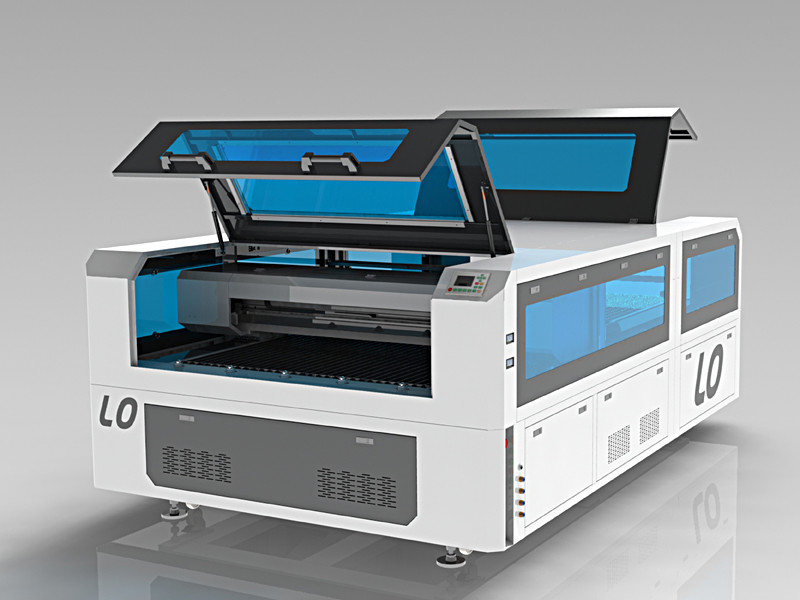
The Power of Precision: Laser Stencil Cutter
When it comes to creating intricate designs with utmost precision, a laser stencil cutter is a game-changer. This innovative tool harnesses the power of laser technology to cut through various materials with unmatched accuracy, making it a versatile solution for artists, designers, and manufacturers alike.
One of the key advantages of using a laser stencil cutter is its ability to produce clean and detailed cuts on a wide range of materials, including paper, cardboard, plastic, wood, and even metal. This level of precision allows for the creation of complex shapes and patterns that would be challenging to achieve with traditional cutting methods.
Furthermore, laser stencil cutters offer speed and efficiency in the production process. With high-powered lasers that can cut through materials quickly and accurately, projects can be completed in a fraction of the time compared to manual cutting methods. This not only increases productivity but also ensures consistent quality across all pieces.
Another benefit of using a laser stencil cutter is its versatility. Whether you’re working on crafting projects, signage production, or industrial manufacturing, a laser cutter can adapt to various needs and requirements. By simply adjusting settings such as cutting speed and power, users can achieve different levels of intricacy and depth in their designs.
Moreover, laser stencil cutters are known for their ease of use and minimal maintenance requirements. Once set up correctly, these machines operate smoothly and reliably, allowing users to focus on their creative endeavors without worrying about technical issues.
In conclusion, the laser stencil cutter represents a powerful tool for those seeking precision and efficiency in their cutting tasks. With its ability to deliver intricate designs quickly and accurately across a range of materials, this innovative technology opens up new possibilities for creativity and production in various industries.
5 Essential Safety and Efficiency Tips for Using a Laser Stencil Cutter
- Always wear appropriate safety gear, such as goggles, when operating a laser stencil cutter.
- Ensure proper ventilation in the area where you are using the laser stencil cutter to avoid inhaling fumes.
- Regularly clean the lens of the laser stencil cutter to maintain cutting precision and quality.
- Adjust the power and speed settings of the laser cutter based on the material you are cutting for optimal results.
- Practice on scrap materials before working on your final project to familiarize yourself with the capabilities of the laser stencil cutter.
Always wear appropriate safety gear, such as goggles, when operating a laser stencil cutter.
When operating a laser stencil cutter, it is crucial to prioritize safety by wearing appropriate protective gear, such as goggles. The intense light and heat generated by the laser can pose a risk to your eyes, making eye protection essential to prevent potential injury. By wearing goggles while using a laser stencil cutter, you can ensure the safety of your vision and focus on creating precise and intricate designs without compromising your well-being.
Ensure proper ventilation in the area where you are using the laser stencil cutter to avoid inhaling fumes.
To ensure a safe working environment when using a laser stencil cutter, it is crucial to prioritize proper ventilation in the area. Adequate ventilation helps to prevent the accumulation of fumes generated during the cutting process, reducing the risk of inhaling potentially harmful particles. By maintaining good airflow and ventilation systems in place, users can protect their respiratory health and create a safer workspace for operating the laser stencil cutter effectively.
Regularly clean the lens of the laser stencil cutter to maintain cutting precision and quality.
Regularly cleaning the lens of your laser stencil cutter is essential to uphold cutting precision and quality. Dust, debris, and residue can accumulate on the lens over time, affecting the accuracy of the laser beam and resulting in less precise cuts. By maintaining a clean lens, you ensure optimal performance of your laser cutter, allowing it to consistently deliver sharp and detailed designs on a variety of materials. A simple yet crucial step, regular cleaning helps prolong the lifespan of your machine and ensures that your projects turn out flawlessly every time.
Adjust the power and speed settings of the laser cutter based on the material you are cutting for optimal results.
To achieve optimal results with a laser stencil cutter, it is crucial to adjust the power and speed settings of the machine according to the material being cut. By fine-tuning these settings based on the specific properties of the material, such as thickness and density, users can ensure clean and precise cuts without damaging the material or compromising the quality of the design. This attention to detail not only enhances the efficiency of the cutting process but also maximizes the overall performance of the laser cutter, allowing for consistent and high-quality results across different materials.
Practice on scrap materials before working on your final project to familiarize yourself with the capabilities of the laser stencil cutter.
Before diving into your final project with a laser stencil cutter, it’s highly recommended to practice on scrap materials first. This preliminary step allows you to familiarize yourself with the capabilities and intricacies of the laser cutter, giving you a chance to fine-tune settings and techniques before working on your actual piece. By experimenting on scrap materials, you can gain valuable insights into how different materials react to the laser and adjust your approach accordingly, ensuring a smoother and more successful execution of your final project.
No Responses